
Preparing a Queue
A queue welcomes callers until they are handled by an agent. Open Queues for the desired client. Prepare an internal number, the agents, the music or announcement, and an exit for when no one answers. Read permission allows opening a record; write permission allows editing it.
The list allows you to search for and open a queue. Create a Queue opens the creation form. Back to Queues returns from the skills view. Global Options sets shared values; Skill Rules opens the catalog and levels.
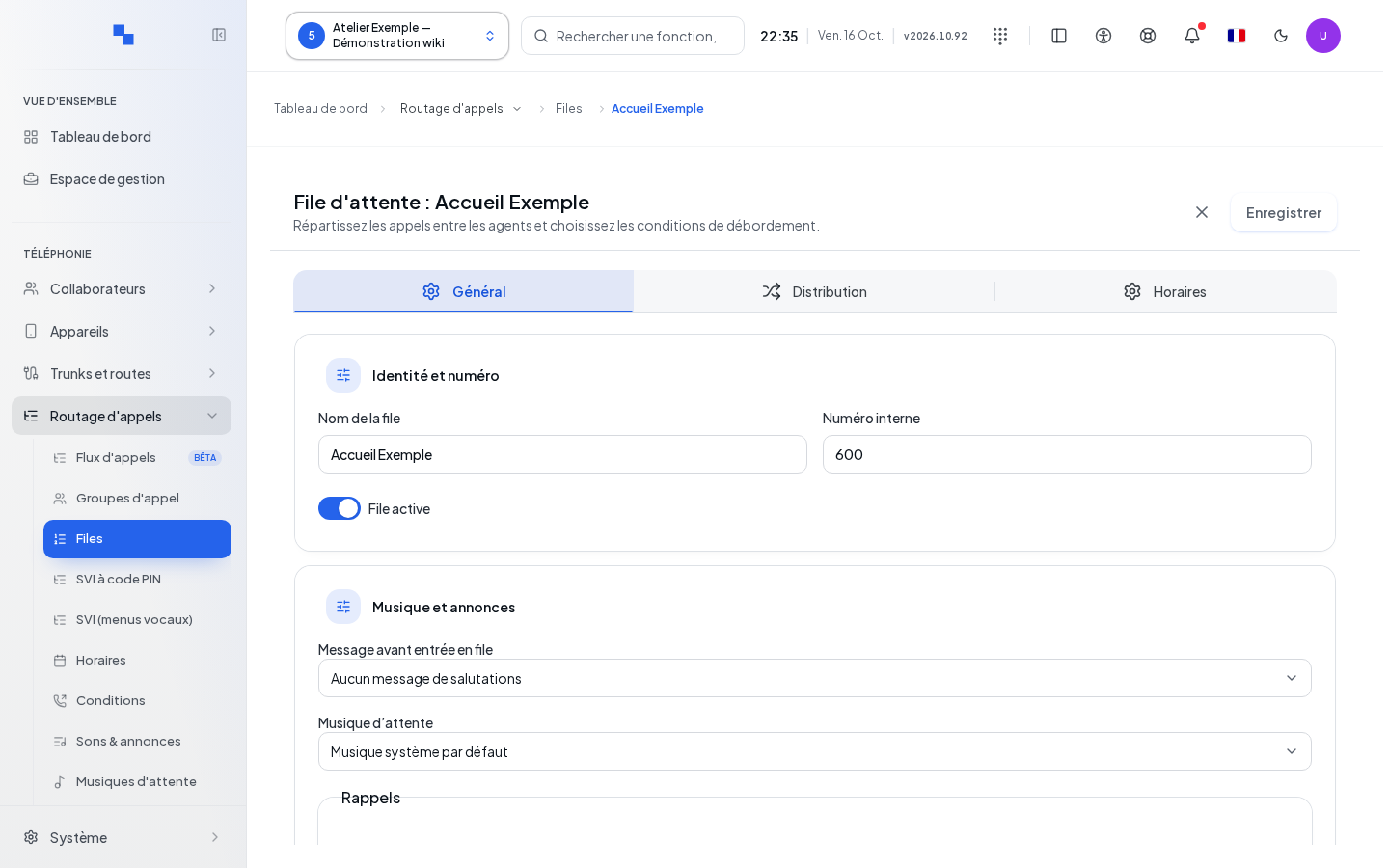
General: Identity, Recording and Audio
The record is organized into General, Distribution, and Schedules. General groups together identity, recording, music and announcements, callback, and then the Advanced settings.
| Field | Purpose | Possible values | Example |
|---|---|---|---|
| Queue name | Readable name | Text | Support |
| Internal number | Number to dial; required | 2 to 8 digits, 10 to 99,999,999 | 4200 |
| Active queue | Enables distribution | Enabled upon creation | Enable after review |
| Message before entering queue | Welcome announcement | No message or an available sound | Welcome to support |
| Hold music | Audio played while waiting | Default system music, client music, or a music list | Support Music |
| Announce caller position | Indicates their place in line | No, yes, with a limit, or beyond a threshold depending on the option selected | Announce up to a certain position |
| Position limit | Threshold for conditional modes | 1 to 500, visible with these modes | 5 |
| Estimated wait time | Announces an estimate | No, yes, or only once | Only once |
| Announcement frequency | Interval between announcements | 0 to 3,600 seconds; see help for inheritance behavior | 60 |
| Periodic announcement sound | Repeated message | Available sound or none | Thank you for holding |
| Periodic announcement interval | Spaces out repetitions | 0 to 3,600 seconds | 90 |
Announcement values are only offered when they are available on the loaded record. The Advanced panel groups caller and agent key permissions, as well as editing the displayed name.
In Recording, enable Record Calls to record all calls in the queue in permanent mode as soon as they are answered. Disable it to remove this queue-imposed recording; user-specific settings still apply. The change is part of the draft and requires Save. A previous setting is retained until you change the switch.
The playback control next to the music lets you preview a file from the selected list, or the stream if the default music uses a stream. It depends on sound read permissions; without an available file, the file playback button is disabled. Stop playback with the same control.
Understanding Announced Position and Wait Time
The announced position never moves backward: after hearing "second," the caller will not later hear a farther position. Callers are served in order of arrival. If several agents are free and able to take calls, several callers may be served at the same time.
After the maximum wait time, a call may be redirected to a voice menu (IVR) or a scenario. If this same call returns to the same queue within 15 minutes of leaving it, it keeps its original place and does not hear the welcome message again. This resumption applies to the continuation of the same call; it does not reserve a place after a hang-up followed by a new call.
The estimated wait time corresponds to the average handling time multiplied by the number of callers ahead, then divided by the number of agents on duty. Agents on duty also count while handling a call or during their post-call wrap-up time. For example, an average of 3 minutes, four callers ahead, and two agents on duty give an estimate of 6 minutes.
The estimate is rounded up to the nearest minute, with a minimum of "1 minute," singular. Without any agent on duty, the calculation uses a divisor of one; this figure therefore does not guarantee that the call will be handled. Without a duration measurement available, no estimate is announced. Position announcements remain possible depending on the queue's settings.
Distribution: Agents, Delays and Exits
Choose the ringing strategy, including Ring All for simultaneous ringing, then add agents in the selector. Each agent has a Penalty from 0 to 99: levels allow certain agents to be prioritized. For ordered strategies, move members within the list; the screen adjusts penalties to maintain a representable order.
| Field | Purpose | Possible values | Example |
|---|---|---|---|
| Ring time per agent | Ringing duration | 5 to 300 seconds; 20 upon creation | 20 |
| If no one answers — duration in seconds | Ceiling on time in queue, placed next to its destination | 0: no limit; 300 upon creation | 300 |
| Retry if no agent answers | Restarts a ringing cycle without resetting the maximum wait time | Disabled initially | Enable to continue attempts |
| Delay between retries (s) | Pause before a new search | 0 to 60 seconds; 5 initially | 5 |
| Post-call wrap-up time | Allows the agent to finish their work | 0 to 600 seconds | 30 |
| Maximum calls on hold | Limits the queue | 0 to 500; 0 for no ceiling | 20 |
| Queue calls per agent | Capacity offered per agent | 1 to 100; 1 initially | 1 |
| User cap | Priority between queue and personal setting | Respect the user cap or let the queue take precedence | Respect the cap |
| Too many callers waiting | Threshold per connected agent, associated with a destination | Ratio from 0 to 500 | 3 |
With Queue calls per agent greater than 1 and Also ring agents already on a call enabled, several calls can ring the same agent in parallel up to the applicable ceiling. A call already ringing no longer, by itself, prevents the next one from being presented. The choice of Respect user cap or Queue takes precedence over user cap still applies; calls exceeding capacity wait until a slot becomes available.
The retry option after expiration is labeled Retry if no agent answers in this record. It applies to the end of a ringing cycle with no answer. When enabled, it restarts distribution after the Delay between retries (s), keeping the caller's place and the time already spent in the queue. When disabled, the end of the cycle can trigger the exit before the If no one answers duration elapses: this maximum does not guarantee that the call will remain in the queue that long. When enabled, it does not extend this deadline; other overflow conditions may also cause the call to exit.
In Overflow Options, the If no one answers line combines the maximum duration and its destination. It replaces the former separate settings for wait timeout and exit-on-wait. If a previous, shorter wait threshold had a destination, the record carries over that delay and destination; check them before saving. The other lines include Busy, No more lines available, Too many callers waiting, and the maximum calls on hold. With two agents connected and a ratio of three, the seventh caller exceeds the threshold. The final If no one answers destination must be valid; a new queue offers a normal call ending. In Schedules, set opening, closing, and exceptions as described in Schedules.
The page displays "This fallback may bring the caller back into this queue and extend their wait." if the destination after maximum wait points to the same queue, its internal number, a voice menu, or a scenario that could return to it. For a menu or scenario, this warning signals a possibility, not a confirmed loop. Check its choices and delays, then select a different destination to avoid extending the wait in the same queue.
Click Create or Save in the record. While saving, or as long as record and member reads are not reliable, the action remains unavailable. Close or the back navigation processes the draft before leaving. Success displays "Queue saved."
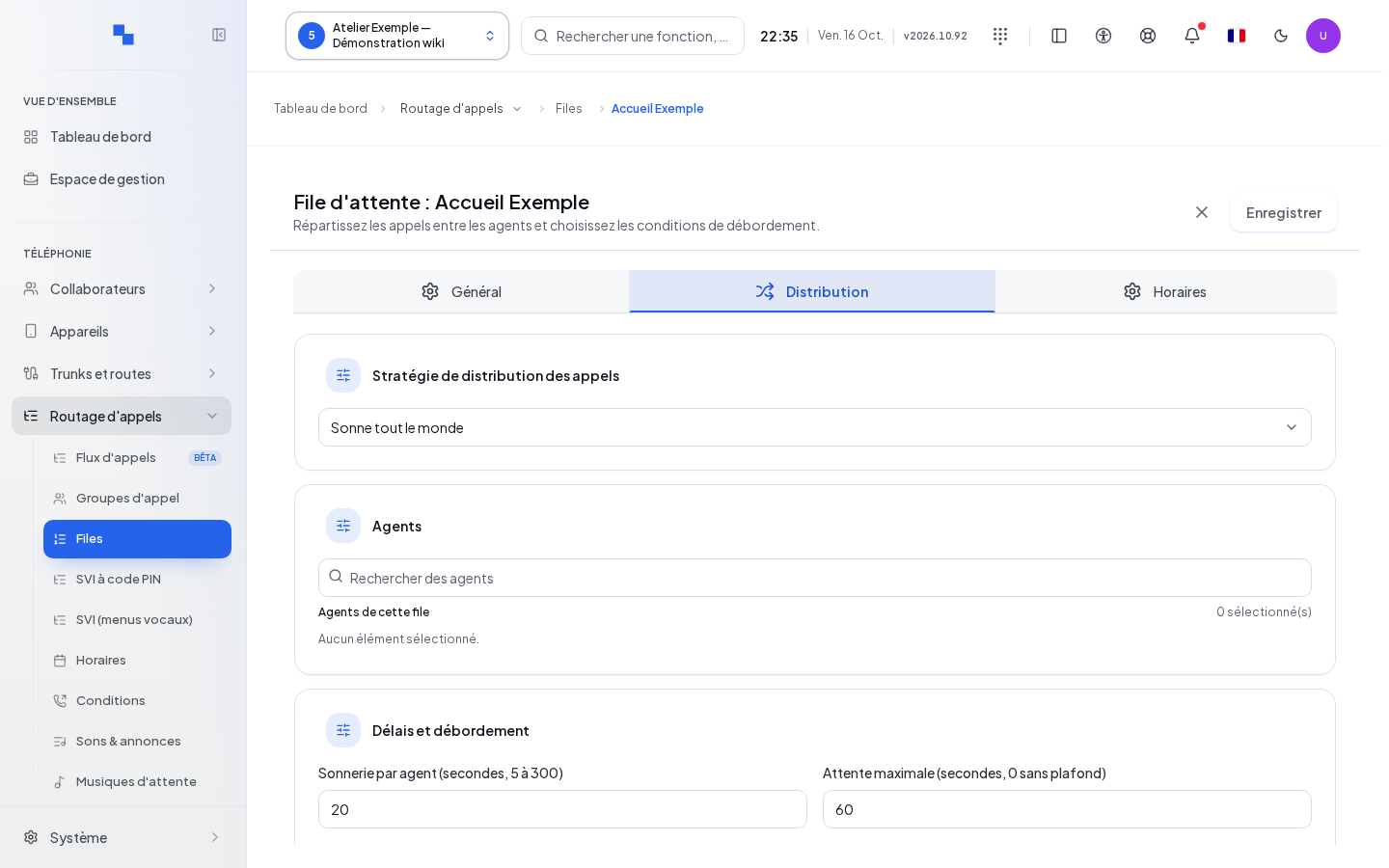
Choosing an Exit Key
In Distribution, Exit Key allows the caller to leave the queue toward a destination.
| Field | Purpose | Possible values | Example |
|---|---|---|---|
| Key | Digit to dial while waiting | Disabled or digit 0 to 9; the enabled callback's key is unavailable | 9 |
| Exit key — destination | Call destination after entering the digit | Destination offered in the selector | Support voicemail |
Choose a usable key and destination, then click Save. Enabling this requires Answer and play hold music: Ring until answered becomes unavailable as long as an exit key is set. Check that your announcement states the correct digit, then test the key while on hold. It does not divert a conversation already taken by an agent.
Offering a Callback
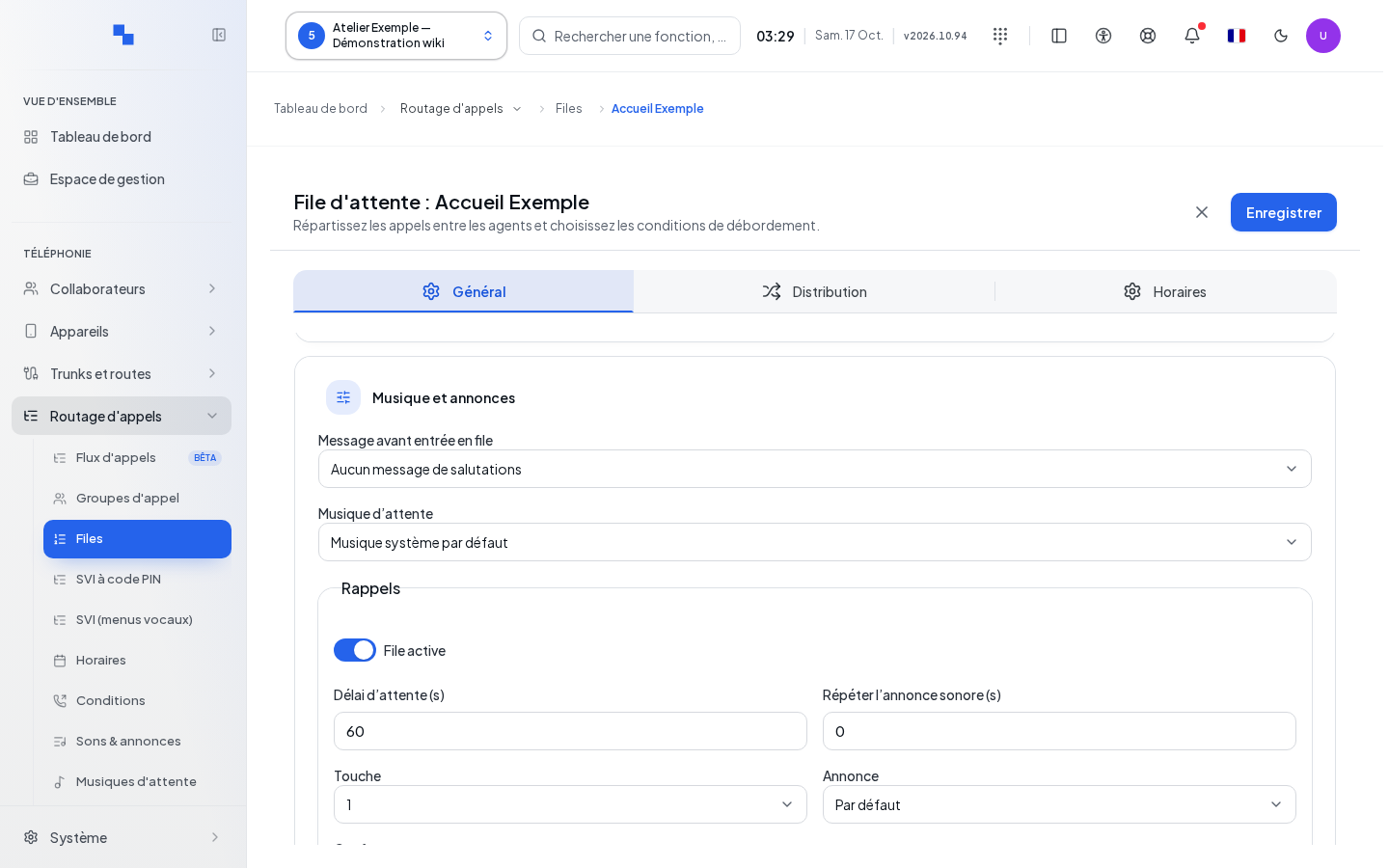
Callback options are found in General when the feature is available. Enable Enable Callback then set its key, delay, repetition, and announcements. Choose notifications by phone, by email to members, or to additional addresses. A new draft has callbacks disabled, a 60-second delay, no repetition, and key 1.
The offer sound and confirmation sound may use the default choice. Check their consistency with the announced key. On an existing queue, the callback history allows you to view requests; this is not the same as modifying the callback policy.
Setting Global Options
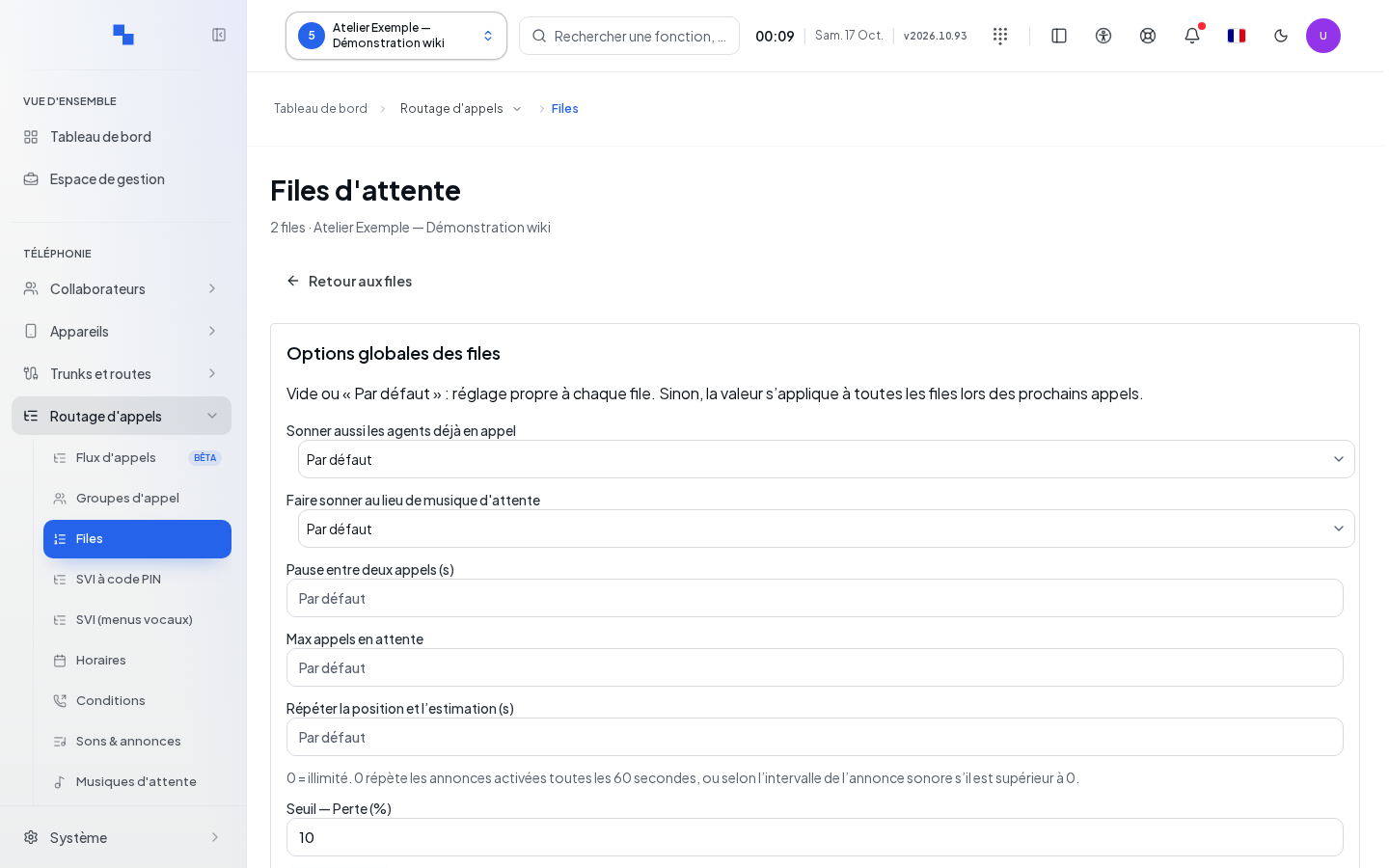
Global Options lets you enforce or leave as local the settings for ringing busy agents and ringing while waiting. For numeric values, leaving the field blank keeps the local setting. The limits are 0 to 600 seconds for wrap-up time, 0 to 500 calls on hold, and 0 to 3,600 seconds for announcement frequency. The loss-rate alert threshold is 1 to 100%.
Click Save and check the success message. Refresh retries a failed read. These shared values may explain a result different from what you would expect by looking only at a single record.
Managing Skills and Levels
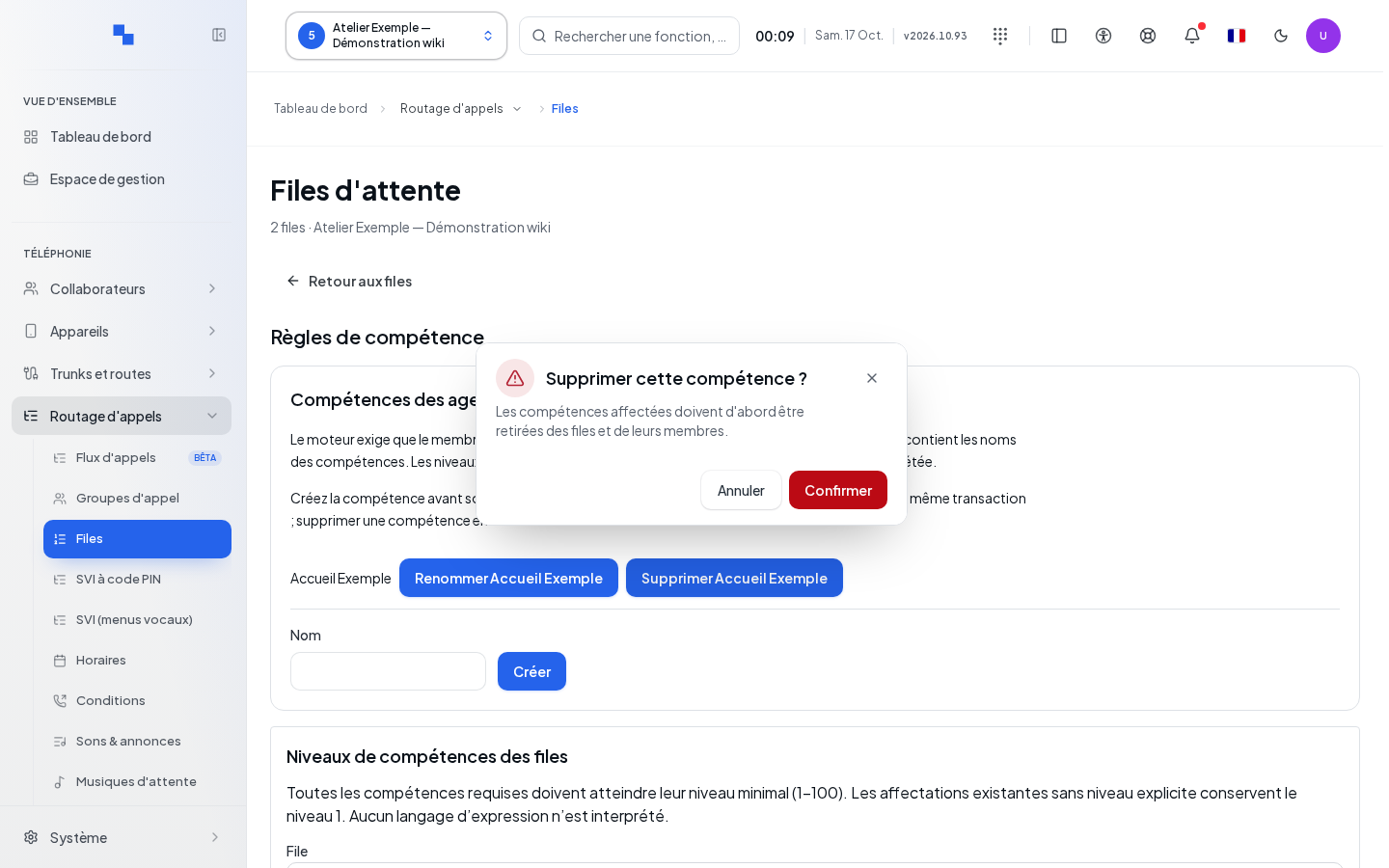
In Skill Rules, create a skill name or use Rename. Save applies the name; Cancel exits the input. Delete asks for confirmation before removing a skill. Refresh reloads the catalog.
Then choose a queue. Previous Queues and Next Queues browse the catalog. Check the required skills and enter a Minimum Level from 1 to 100, then click Save Requirements.
The evaluation table only compares skills. It does not guarantee that the agent is connected, available, or within their schedule. Choose a Queue Member, check their skills, enter a Level from 1 to 100, and click Save Member Skills. Editing the requirements and editing a member are two separate save operations.
Deleting, Checking and Troubleshooting Errors
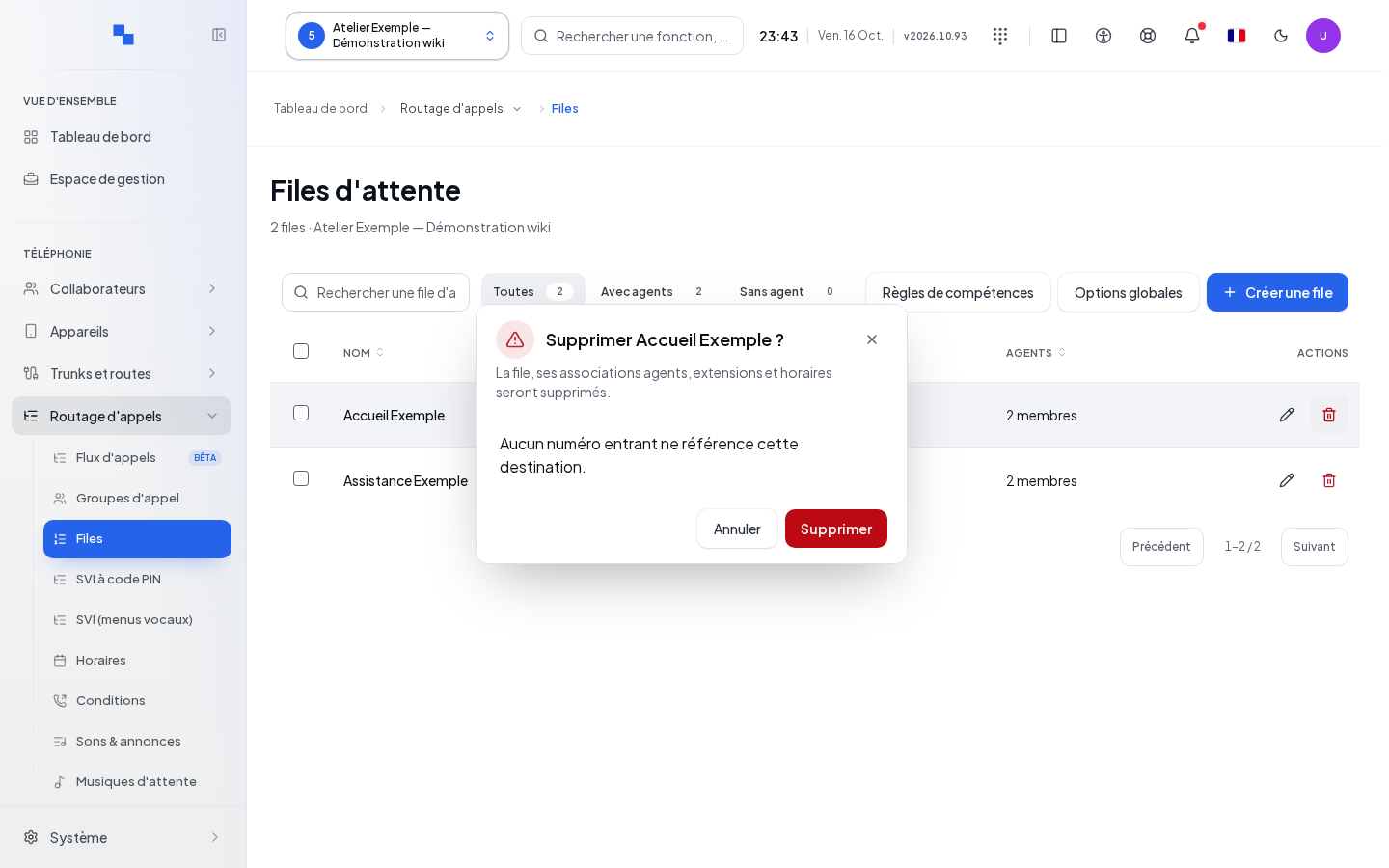
Deleting a queue requires confirmation with its name. If a dialog listing destinations in use appears, review the flagged references before confirming the removal. After saving, test answer handling, wait time, and the final destination with control calls. Also check the order in which calls are handled, the announcements, and, if the flow includes a return within 15 minutes, that the caller's place is retained without a new welcome message.
If reads fail, Retry reloads the affected panel. Do not replace an unknown agent list with an empty list. An old negative cap returned by the server may be retained, but a new negative value is not accepted. Fix any flagged delays and also check Agent Schedules. The refresh button in the recovery diagnostic reloads the displayed status; it does not, by itself, fix calls.
Reading the Recovery Diagnostic
The installation administrator has access to a recovery diagnostic in System, then Diagnostics. Select the client and the queue; filter by phase and status if needed. Refresh reloads the inventory for the selected queue and remains unavailable without a selected queue or while reading. Check the measurement date and any indication of an incomplete list.
This screen observes queue admissions that have not been closed out. An unknown status is not confirmation of a successful recovery. Refreshing does not itself restore calls and does not hang them up. If a read fails, retry the affected panel; do not conclude that no calls exist based on an error.