
Broadcast an announcement to multiple extensions
Paging calls the members of a group to broadcast an announcement to them. Open the paging screen in the client's call services. Prepare the recipient users and check with the installer that their devices support the expected auto-answer.
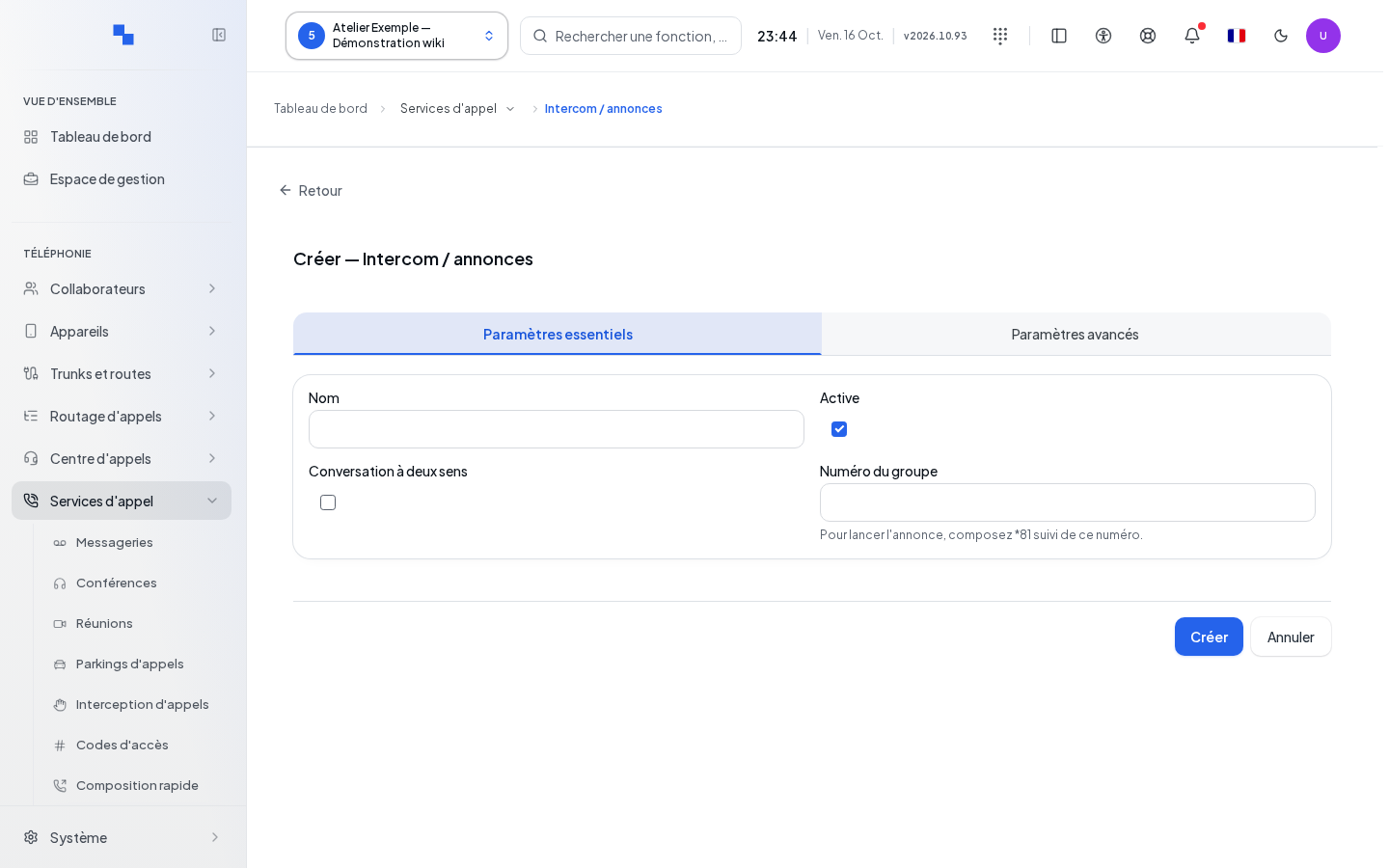
Create and edit the group
Open the creation screen, fill in the essential settings, then save. Edit reopens a group's configuration; Cancel discards the input. Write commands are reserved for authorized accounts.
| Field | Purpose | Possible values | Example |
|---|---|---|---|
| Name | Identifies the group; required | Non-empty text | Workshop |
| Number | Paging identifier; required | Number to use after the paging prefix | 20 to dial *8120 |
| Enabled | Authorizes the group | Enabled at creation | Disable a group being prepared |
| Duplex | Allows two-way audio exchange | Disabled at creation | Enable if recipients need to respond |
After creation, open the group members from the list. Add the recipient users or remove those who should no longer receive the announcement. Members cannot be added by typing their names into the number field.
Configure advanced options
On an existing group, open Advanced Settings. You can enable recording, choose an announcement sound, and select the users authorized to initiate a broadcast. An empty caller list authorizes all client users. Click Save in the options panel to apply its changes; wait for confirmation.
The selection of sounds and users waits for the catalog to load. If this fails, the error is displayed and the affected choices remain unavailable.
Delete and verify
Deleting a group requires confirmation. Check the name before confirming. Bulk selections also allow enabling or disabling multiple groups. After saving, check the members and perform an announced test to the recipients by dialing *81 followed by the group number. A broadcast reaches real phones.
If it doesn't work
An empty name or number prevents saving. A group marked No number must be completed before use. Check that it is enabled, that members are present, and that the caller is in the authorized list if it is not empty. Retry reloads an unavailable catalog. Pass along the displayed reason if writing is refused.