
Preparing a shared shortcut
A shortcut associates a short numeric code with a destination. It is shared across the client; it is not a service code starting with a star. Select the client and open the speed dial settings. Prepare the destination to be reached and a free code. Read and write permissions are separate.
Add and edit
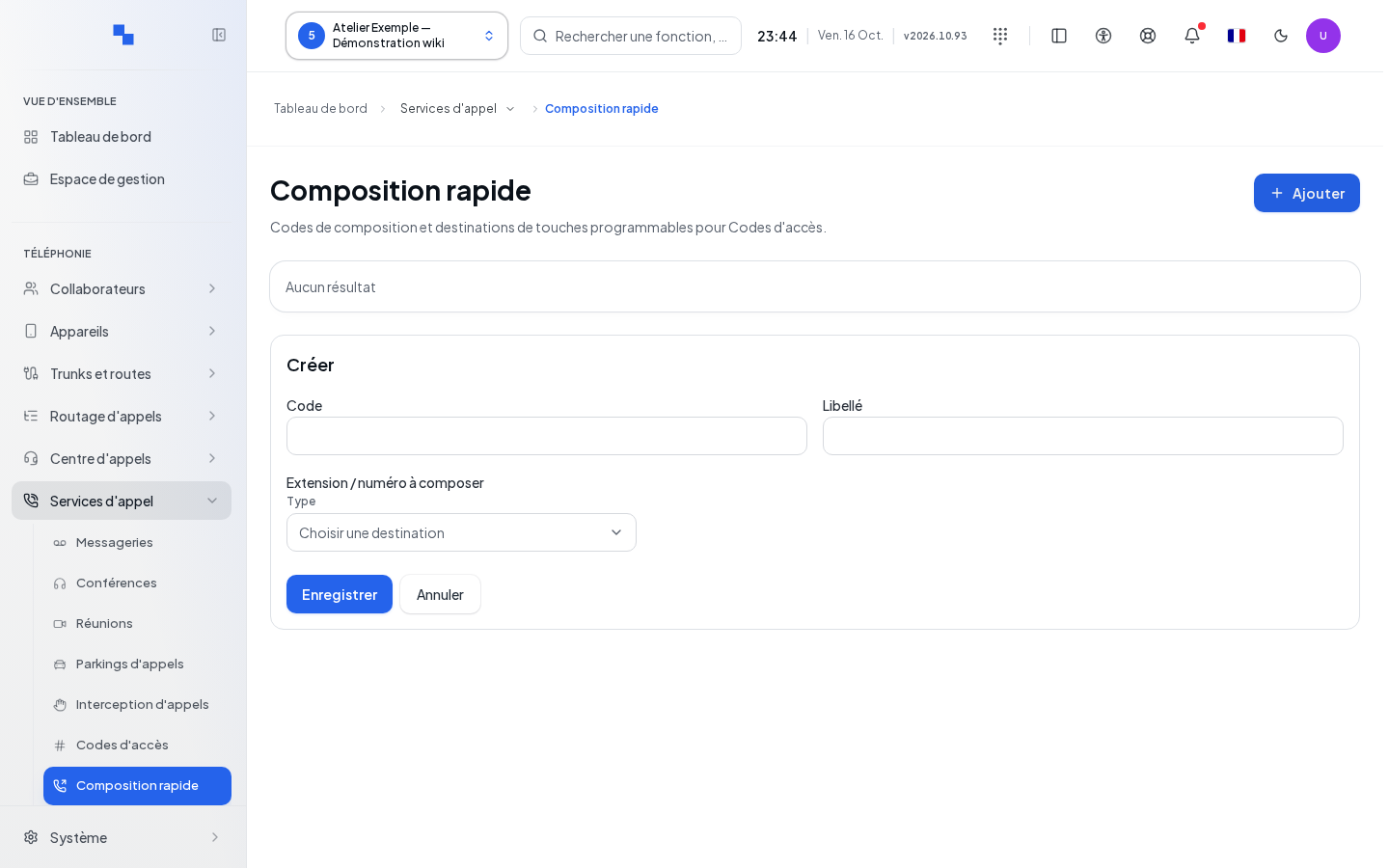
- Click Add. An empty form appears below the list.
- Enter the code, its function, and its destination.
- Click Save. Wait for the request to complete; the form closes after success.
- To edit a shortcut, use the pencil icon named with its label. Cancel closes the form and clears the input.
| Field | Purpose | Possible values | Example |
|---|---|---|---|
| Code | Short number; required | 1 to 4 digits, no star or pound sign | 91 if available |
| Function | Readable name; required | Non-empty text, at most 128 characters in the field | Reception |
| Destination | Target called; required | Choose the type then an available target | A reception user |
Delete and verify
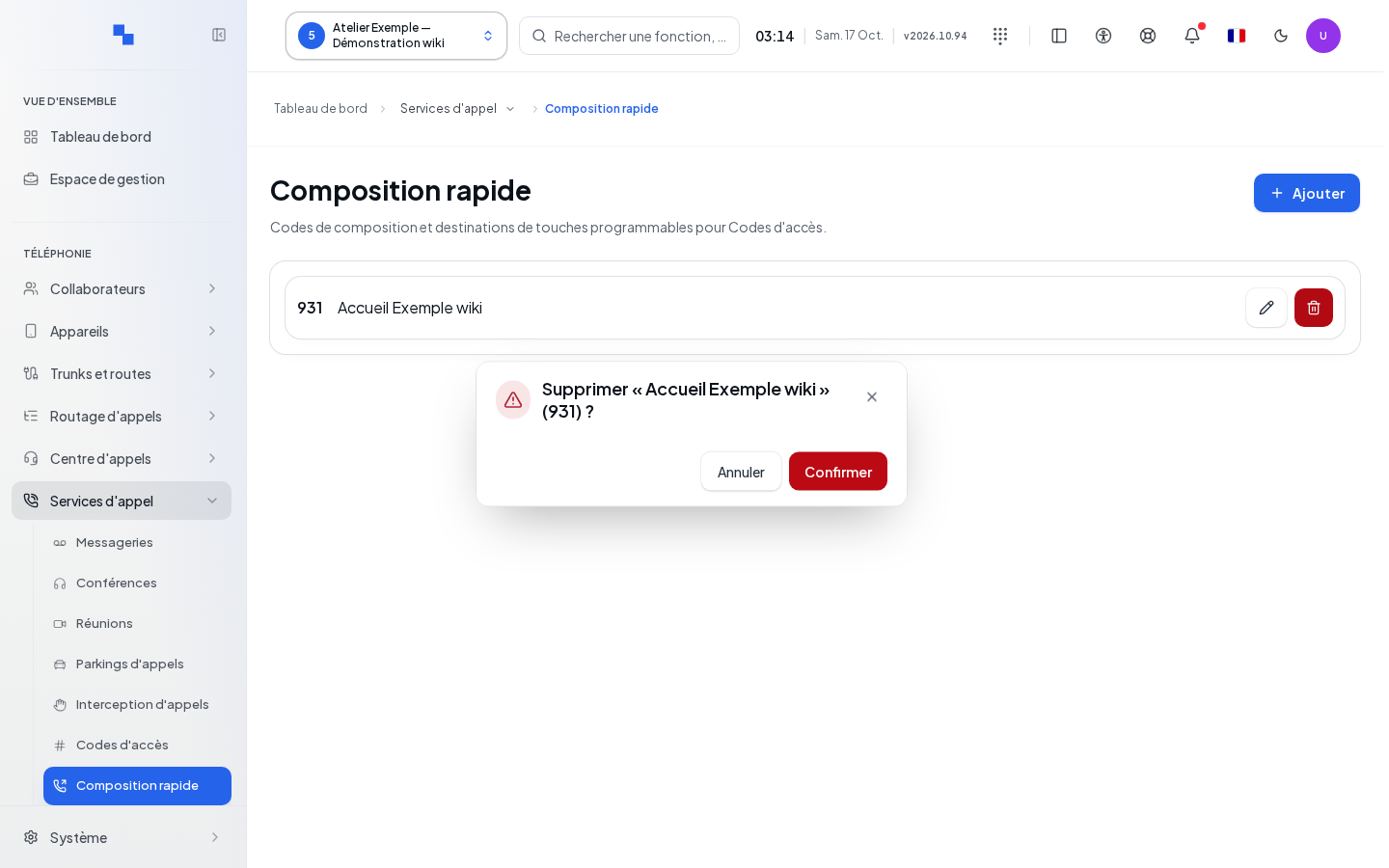
The delete button requests confirmation with the label and code. Confirm only the correct row. Cancelling keeps it unchanged. After saving, check the code and label in the list; dial the code from a client device to verify the destination.
If it does not work
"The code must contain 1 to 4 digits.": remove non-numeric characters or shorten the code. "Label and destination are required.": fill in both values. Retry relaunches a failed read. The create and edit commands are only available with the necessary permissions. An empty list displays no results.