
Preparing Outbound Routing
An outbound route selects the carrier connections, called SIP trunks, that carry the dialed numbers. Select the client, then open Outbound Routes. Prepare at least one carrier and the number patterns to allow. Changes require write permissions on outbound routes.
The list shows name, number rules, carriers, and status. Search for a route, filter by its state, and sort the columns. A disabled route does not become active simply because you add a carrier to it.
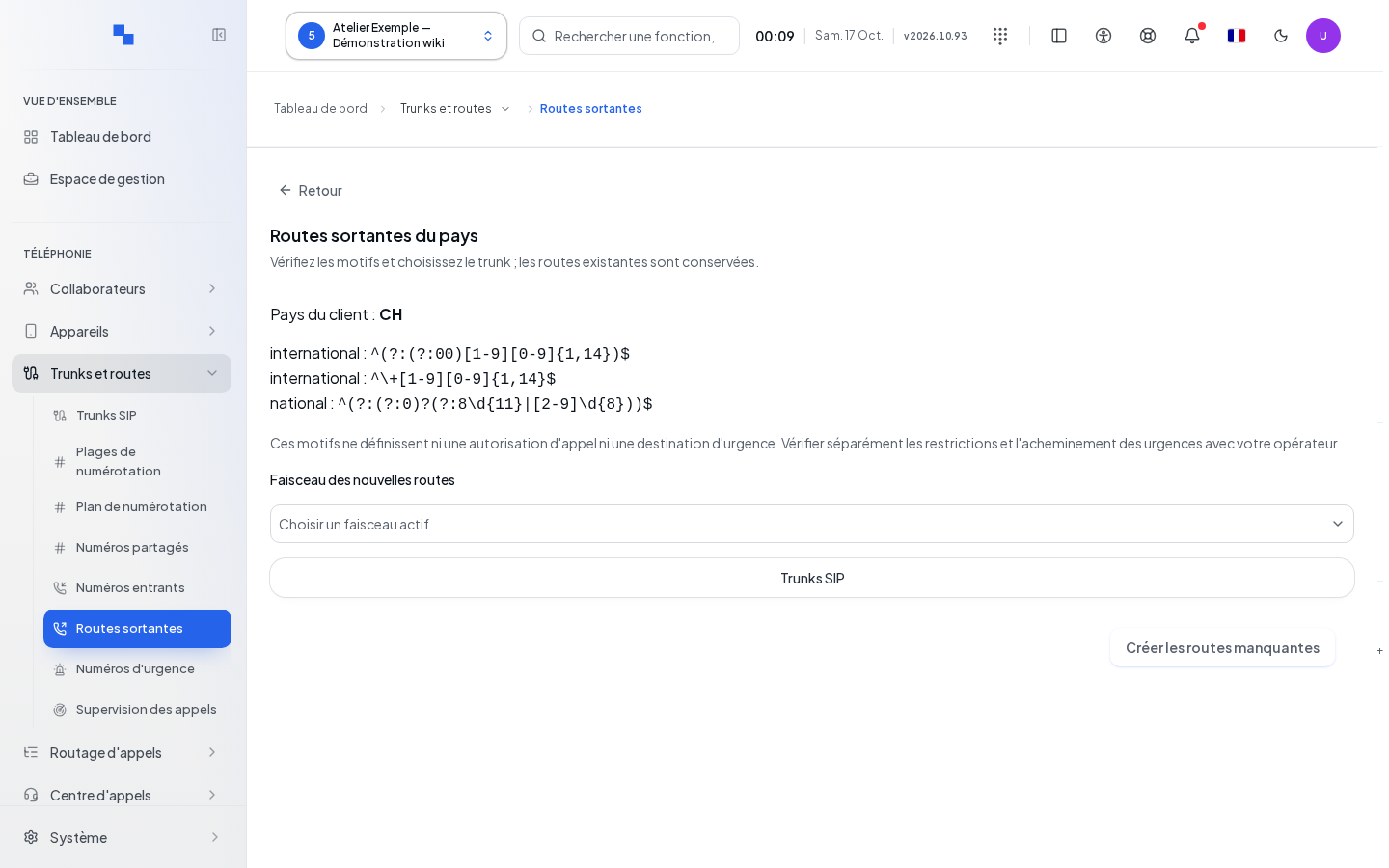
Creating Default Routes
- Click Default Routes.
- Check the suggested country and plan.
- Choose an active Trunk group for new routes.
- Click Create Missing Routes.
This operation preserves routes that already exist. The result distinguishes between created and skipped routes. If none are created, check the list instead of repeating the attempt. The country and client are rechecked before submission. The SIP Trunks link lets you set up a missing carrier.
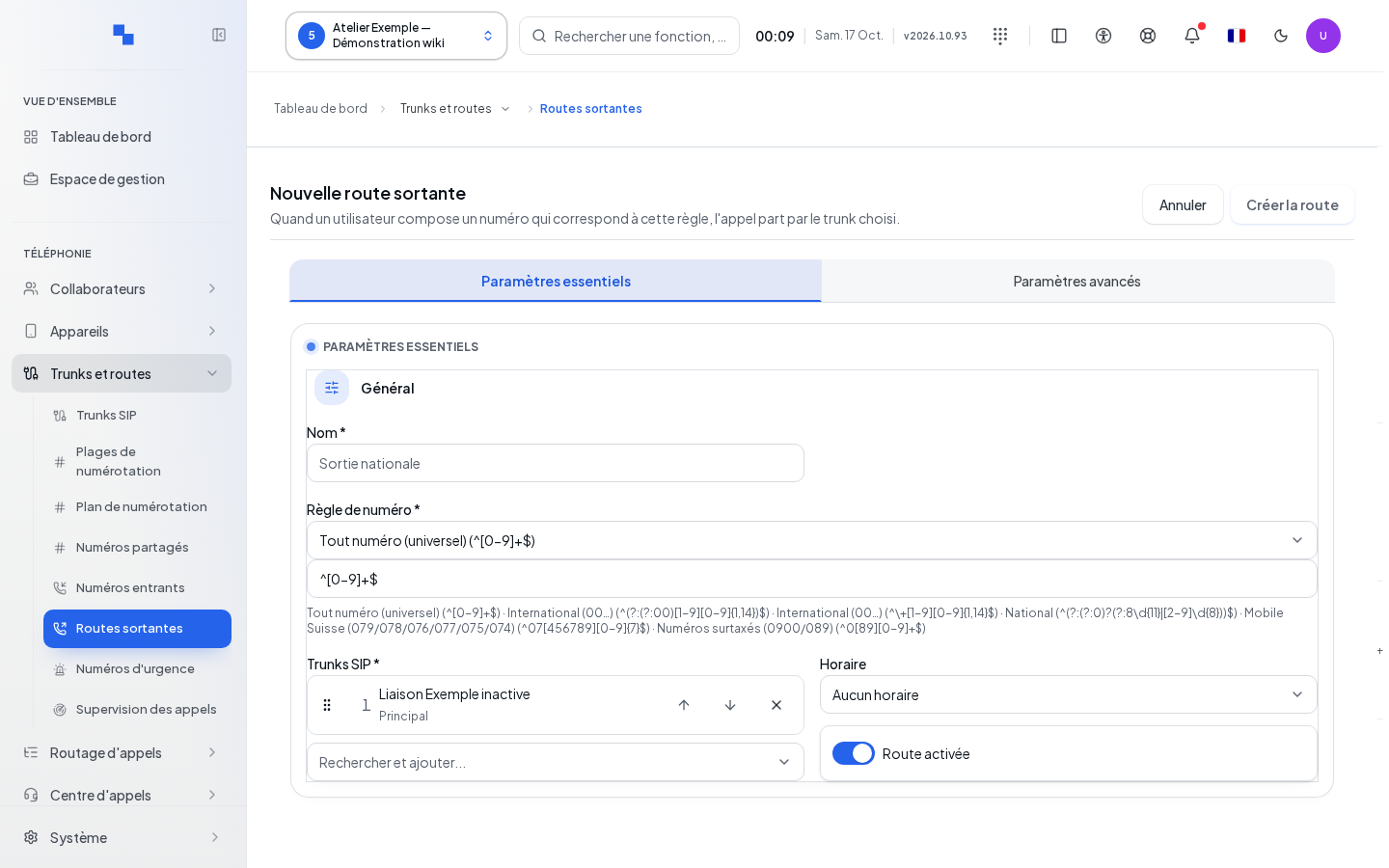
Creating a Custom Route
Open the creation form. Name, Number Rule, and SIP Trunks are required. Choose a rule preset suggested for the country, or a suitable regular expression. The old dial plan syntax such as _X. is not a valid rule to copy here.
| Field | Purpose | Possible Values | Example |
|---|---|---|---|
| Name | Identifies the route; required | Non-empty text | National Calls |
| Number Rule | Recognizes dialed numbers; required | Regular expression; presets avoid technical input | Country national preset |
| SIP Trunks | Usable carriers; required | One or more carriers in the desired order | Primary carrier then backup |
| Use the User's Primary Carrier | Takes into account the choice made by the user | Enabled or disabled | Depending on client policy |
| Default Caller ID | Fallback outbound identity | Number; empty to impose nothing | Reception number |
| Schedule | Restricts usage based on an existing schedule | No schedule or a client schedule | Office hours |
| Ring Duration | Ringing delay | 1 to 600 seconds | 60 |
| Route Enabled | Makes the route usable | Enabled or disabled | Disable during setup |
| Use Internal Identity | Selects the internal identity based on the route | Enabled or disabled | Choice agreed with the installer |
| Present Caller on External Forward | Transmits the original caller's number | Enabled or disabled; also depends on carrier requirements | To be verified with a test call |
Click Create, then wait for confirmation. Cancel closes without creating. Creation involves several steps; after an error or a lost response, review the list before starting again.
Editing the Five Tabs
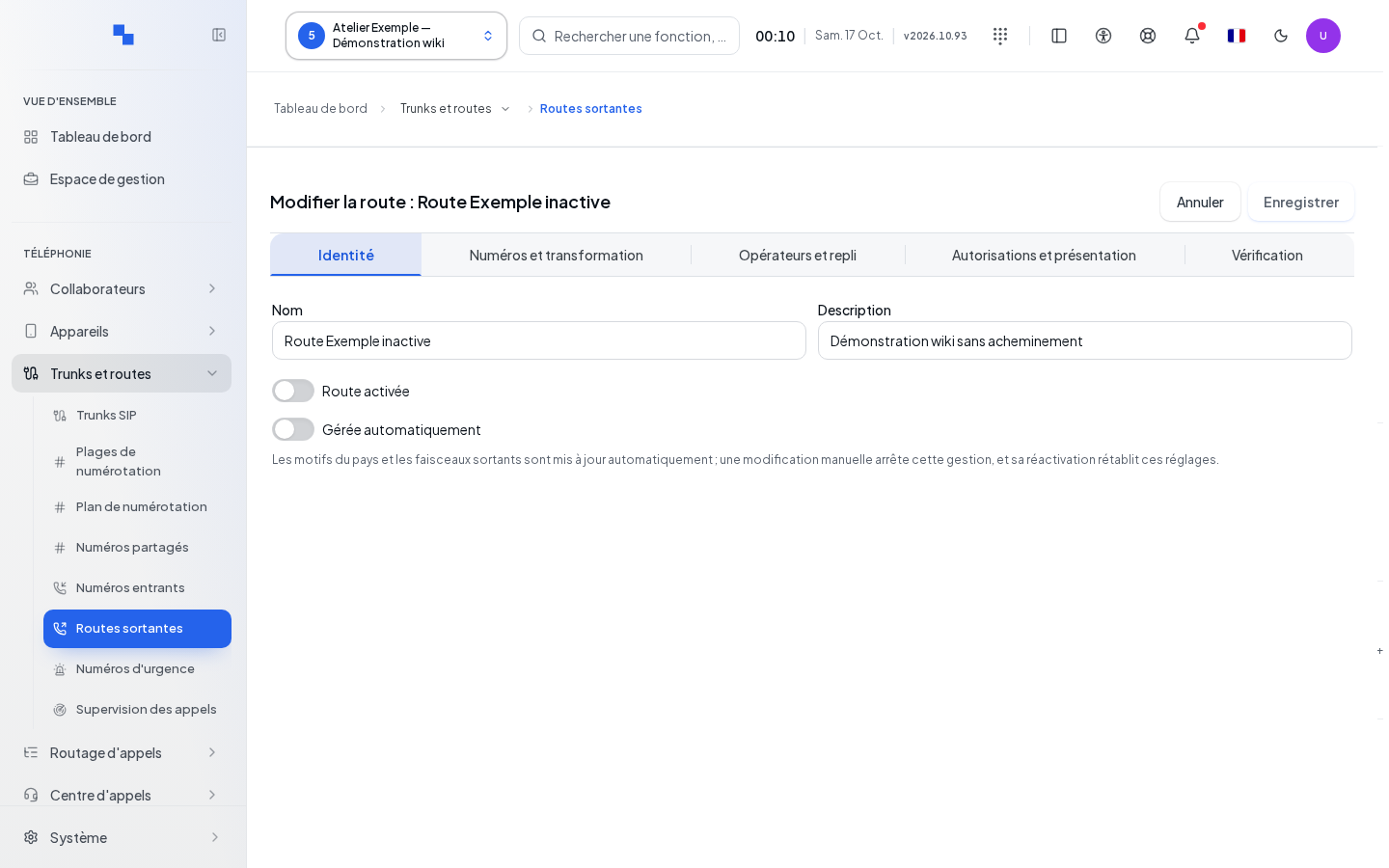
Open Edit Route. The tabs separate identity, rules, carriers, permissions, and verification.
In identity, set the name, description, and activation. Managed Automatically lets the country patterns and outbound trunk groups evolve automatically. A manual change to these settings stops this automation; re-enabling it restores the automatic settings.
In rules, Add Rule adds a row and Remove Rule removes the row from the draft. Each rule has:
| Field | Purpose | Possible Values | Example |
|---|---|---|---|
| Rule | Selects the dialed number | Regular expression validated by the server | Suggested preset |
| Required Prefix | Prefix to dial for this rule | Up to 32 digits, asterisks, or pound signs | 0 if required by your plan |
| Digits Removed | Removes the beginning of the number before sending | Positive integer or zero | 1 |
| Sent Prefix | Adds a prefix to the number sent | Text compatible with the carrier's plan | Prefix agreed with the carrier |
| Displayed Identity | Overrides the identity for the rule | Authorized presentation number | Authorized DID |
In carriers, add or remove connections, then use the move commands to set their order. In permissions, set schedule, delay, and presentation. Save is unavailable during an operation, without changes, without required fields, or when reading relationships is not reliable.
Verifying a Saved Route
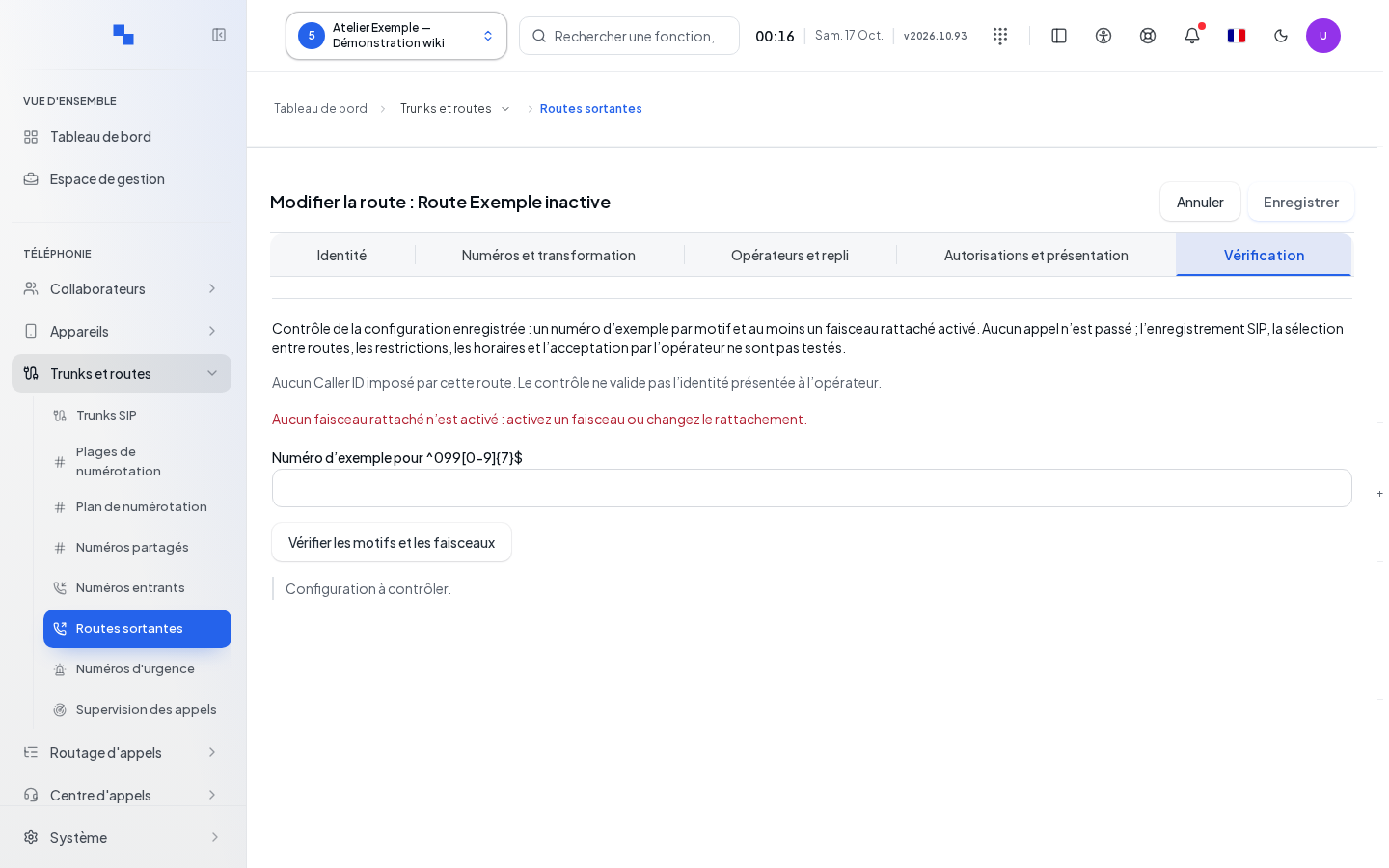
First save your changes. In the verification tab, enter a sample number for each rule, then run the check. An unsaved draft blocks this check. Read the result and the check date; they apply to the saved configuration. A configuration check does not replace an authorized test call.
Deleting and Resolving Rejections
Delete asks for confirmation: the route and its associations will be removed. Cancel to keep them. Then check that the required number patterns still have a route.
"Name + rule + trunk required" asks you to complete all three elements. "This route has changed while you were editing. Close and reopen the record before saving." requires reviewing the current version to avoid overwriting a concurrent change. If a save fails during processing, reopen the route and check its rules and carriers before trying again.