
Open a new destination
In Webhooks, click Add a webhook. This entry opens a creation form, intended for the administrator of the selected client who has read and write rights for webhooks. Prepare the URL of the destination application and the expected events.
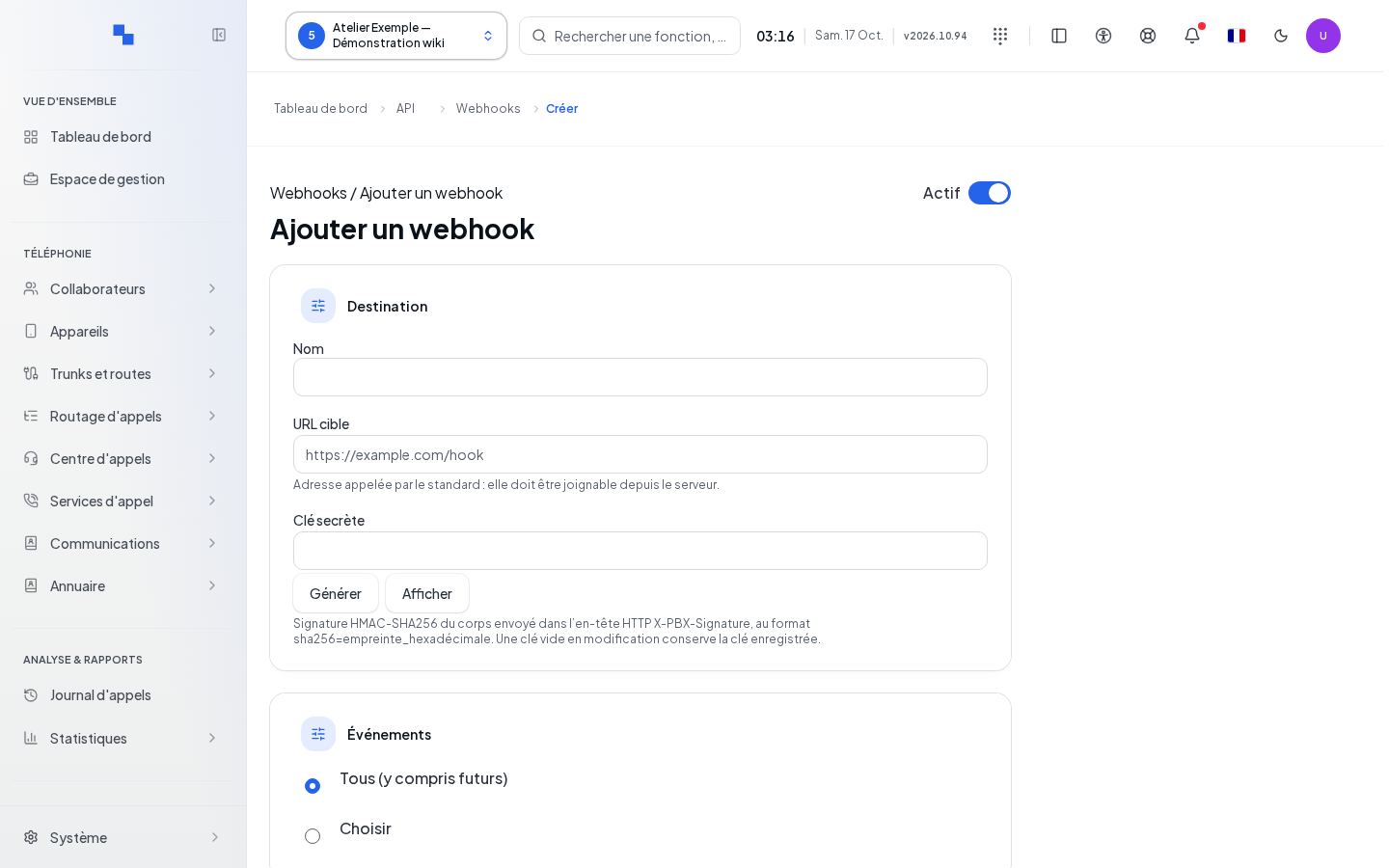
Create the webhook
- Give the destination an optional name.
- Enter a complete Target URL, HTTP or HTTPS, without embedded credentials.
- Prepare the Secret key if your recipient verifies signatures.
- Keep All (including future) or choose at least one event.
- Check Active, then click Save.
The URL and the selection must be valid in order to save. Cancel returns to the list without creating the destination. No draft test is available at creation time: save first, then open the destination and use Send a test.
Check the result
Success returns you to the list. Find the name or URL and check the status. In case of an error, read the message on the form before trying again. Fields, advanced options, signatures, and tests are detailed in Webhooks.