
Opening the Diagnostic Console
This console is intended for the installation administrator who analyzes telephony. Access requires the global administrator role and the system read permission; execution also requires the system write permission. The former Asterisk entry leads to this console.
It provides read-only diagnostics for Asterisk and Kamailio, the services that handle calls and SIP signaling. It is not a general server terminal.
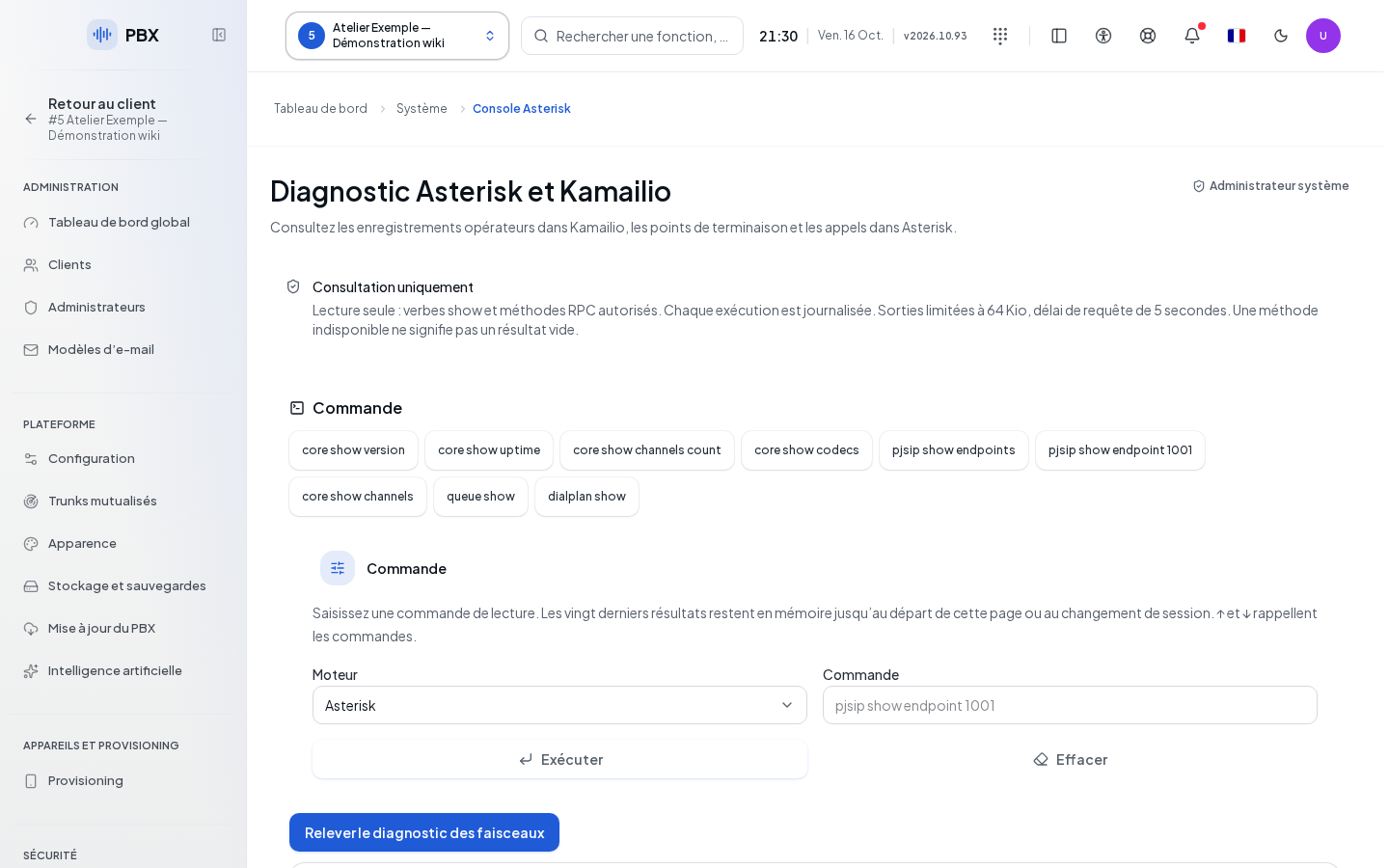
Open System → Diagnostic Console, in the Diagnostics group. The console has no additional subsections.
Running a Command
| Field | Purpose | Possible Values | Example |
|---|---|---|---|
| Engine | Choose the queried service | Asterisk by default, or Kamailio | Asterisk |
| Command | Request a diagnostic; required | Command accepted by the server, up to 512 characters | A suggestion displayed by the console |
- Select the engine. This change clears the command being prepared.
- Click a suggestion to run it directly, or type your own command.
- Click Run, or submit the form from the keyboard.
- Wait for the response. Only one operation runs at a time.
- Review the engine, the command, and the output. An empty output is flagged; it does not constitute a detailed result.
The up and down arrows recall the history of the selected engine. Clicking a command from the history places it back in the field without running it. The last twenty entries are kept in the view. Clear empties the command, the history, and the local report; this command is unavailable while an execution is in progress.
Collecting a Report
The collection command runs the diagnostics from the set proposed by the server in sequence. Wait for it to finish before copying the report. The report gathers the measurement time, the engine, the command, the status, the exit code, and the text received. Copying is unavailable during collection. If the clipboard action fails, select the text in the report area.
Checking the Result and Resolving a Denial
A denied diagnostic does not mean a stopped service. Retry an authorized suggestion and have permissions checked if the denial persists. An outage may concern either the queried service or the connection; report the engine and the displayed message. The report and history remain in this view: copy any useful items before leaving it. Remove confidential data before sharing the diagnostic.