
Monitor Installation Calls
The System → Calls in Progress screen displays calls across the entire installation. It requires system read permission. This view is used to observe activity; agent listening controls are located in the call center supervisor.
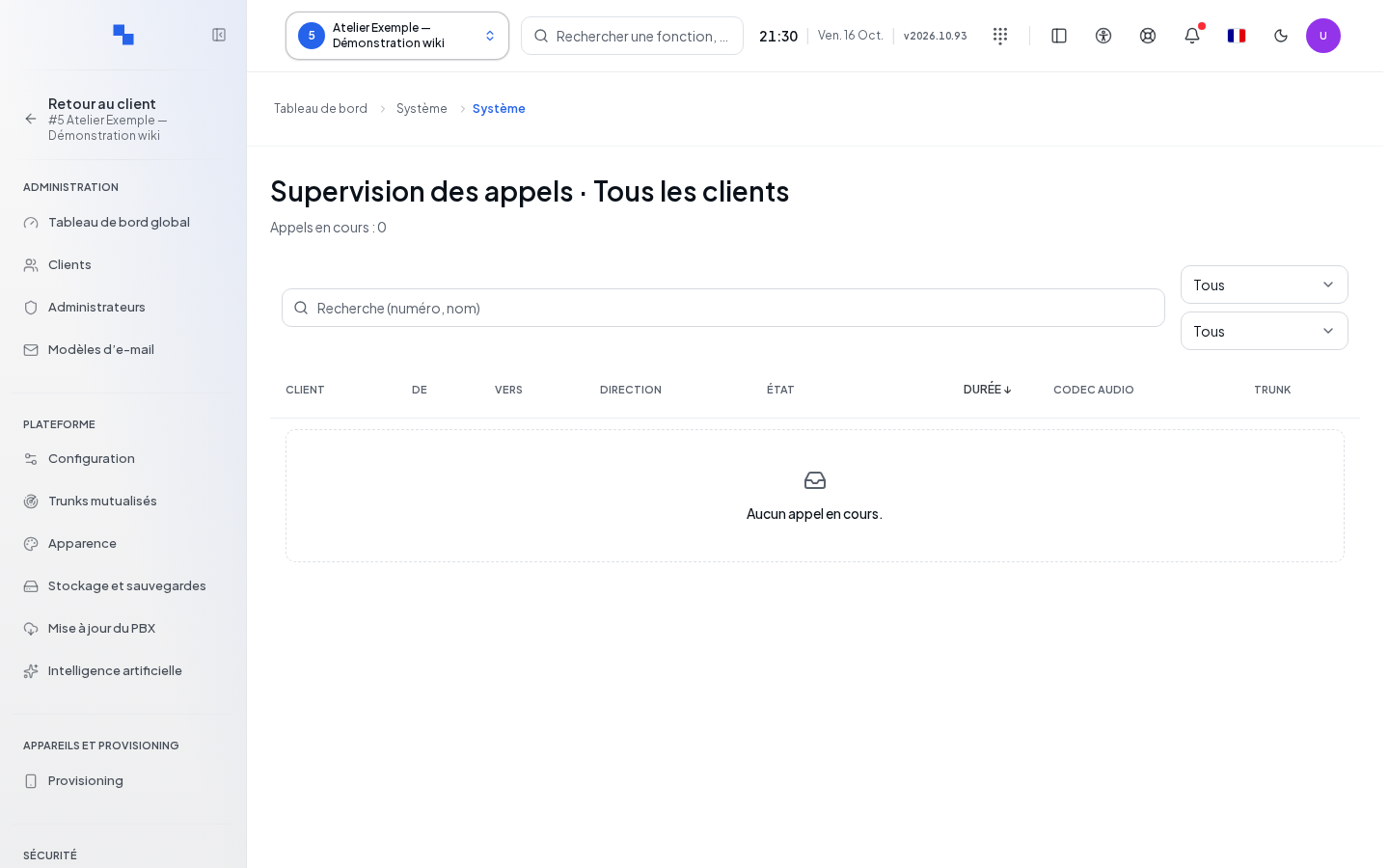
Filter and Read Calls
| Field | Purpose | Possible Values | Example |
|---|---|---|---|
| Search | Find a call | Name, number, destination, operator connection, or customer | Reception |
| Direction | Limit the direction | All, internal, inbound, outbound | Inbound |
| Customer | Limit the installation to a customer present in the measurement | All or proposed customer with their call count | Example Workshop |
The list displays customer, caller, destination, direction, status, duration, codec, and operator connection (SIP trunk). The codec is the format used to transport voice. Statuses distinguish ringing, active, hold, parking, call parking, and transfer; an unknown value remains flagged.
Click Duration to reverse the order between older and more recent calls. Durations update every second; the server is polled every 2.5 seconds. Missing information is shown with a dash.
Verify Freshness and Resolve a Failure
A measurement older than fifteen seconds, or with an inconsistent timestamp, is considered unavailable. Use the displayed retry and check the clock with the administrator if this persists. A read error does not mean there are no calls. For an empty result after a successful read, remove the filters before concluding there is no activity.