
Open the system API
This page is intended for the installation administrator. Open System → Installation API. The Tokens and Documentation sections apply to the entire installation. Ordinary client access is not sufficient: the screen checks for the ability to administer the PBX and displays a denial if no tab is accessible.
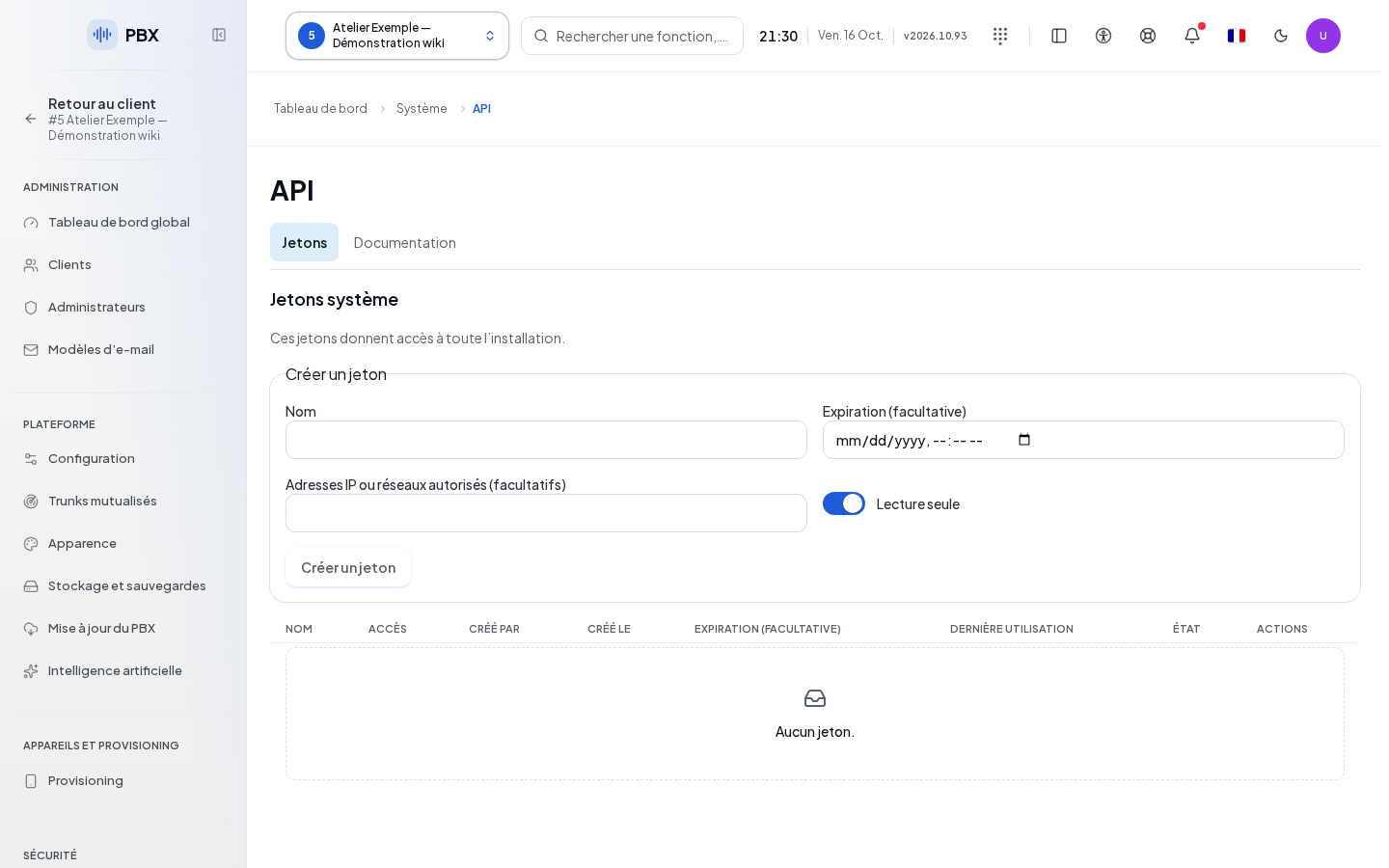
Create installation access
| Field | Purpose | Possible values | Example |
|---|---|---|---|
| Name | Identify the consumer; required | Text, 120 characters maximum | Central monitoring |
| Expiration (optional) | Set the end of use | Date and time | End of maintenance |
| Authorized IP addresses or networks (optional) | Restrict origins | Addresses or networks recognized by the server | Administration network |
| Access | Choose the scope of operations | Read-only by default; Read and write | Read-only |
- In Tokens, click Create token. Fill in the dialog, then confirm with Create token.
- Copy the secret with Copy and keep it before clicking I have saved the key.
- Check its status and last use in the list.
- To replace the key, use Renew key, confirm the renewal, then refresh the application that uses it.
- To revoke access, open the … menu, select Revoke, review the name, then confirm. Cancel keeps the token.
These tokens grant access to the entire installation. Their scope is not limited to the client shown in the console selector.
The expiration date is entered in the time zone shown below the field. Check the time before creating the token. Cancel closes a confirmation without renewing or revoking the key.
View and verify
The Documentation section provides route search, their parameters, schemas, and Download OpenAPI. To Try it, enter a key and the required parameters. Operations other than read require confirmation before actual execution. Read the response before attempting again.
A loading error does not mean the token list is empty. Resume reading with the resume command shown. If access is denied, use an account authorized to administer the installation. Details on entry and testing are explained in Client API.