
The company directory brings together the client's shared contacts. Open Directory, then Contacts, after selecting the client. Personal address books remain separate.
Search and View
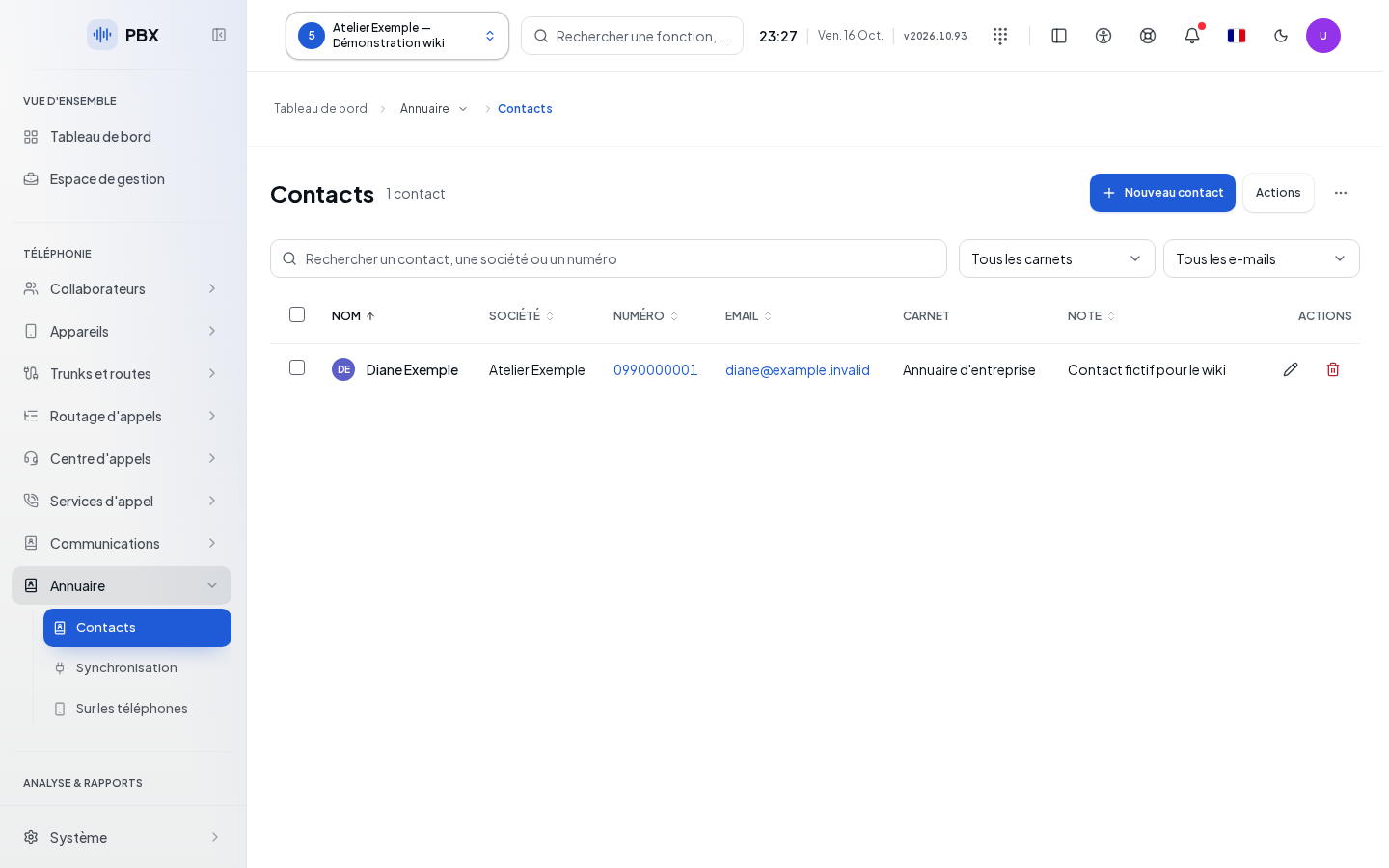
Use Search for a contact, company, or number, the Address book filter, and the All emails, With email, Without email options. The table displays Name, Company, Number, Email, Address book, and Note. Details opens a read-only view; Edit opens the entry form if your permissions allow it.
"Truncated directory" means the search only covers the records received. A contact not found in this situation may exist outside the loaded list. A read error does not mean "Empty directory."
Create and Edit a Contact
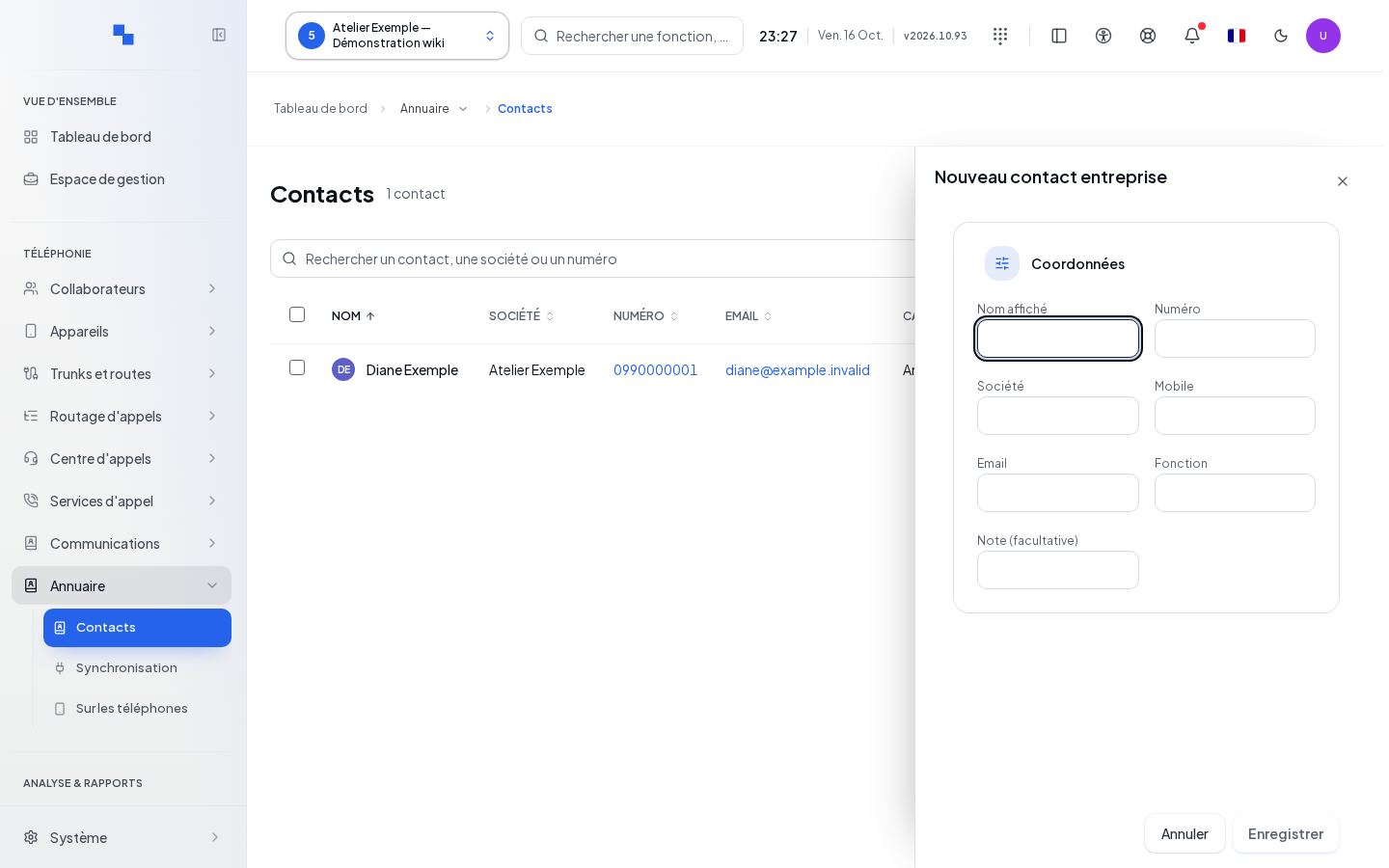
- Click New contact or Edit.
- Check the Target address book.
- Fill in the contact details below.
- Click Save then verify the entry. Cancel discards the draft.
| Field | Purpose | Possible values | Example |
|---|---|---|---|
| Display name | Contact identifier; required | Non-empty text | Partner reception |
| Number | Primary number; required | Phone number, unique for this client | +41225550123 |
| Company | Business name | Optional text | Example Company |
| Mobile | Alternate number | Optional number | +41795550123 |
| Contact's address | Optional address | accueil@example.test | |
| Role | Contact's role | Optional text | Reception |
| Note (optional) | Shared details | Optional text | Available in the morning |
| Target address book | Address book containing the entry | Proposed address book | Suppliers |
Save requires a name, a number, a modification, and no operation in progress. "Name required" or "Number required: the company directory does not store entries without a number." indicates the form needs completion. If a number already exists, the server's rejection specifies the conflict: edit the existing entry instead of creating a second one.
Manage Address Books and Their Access
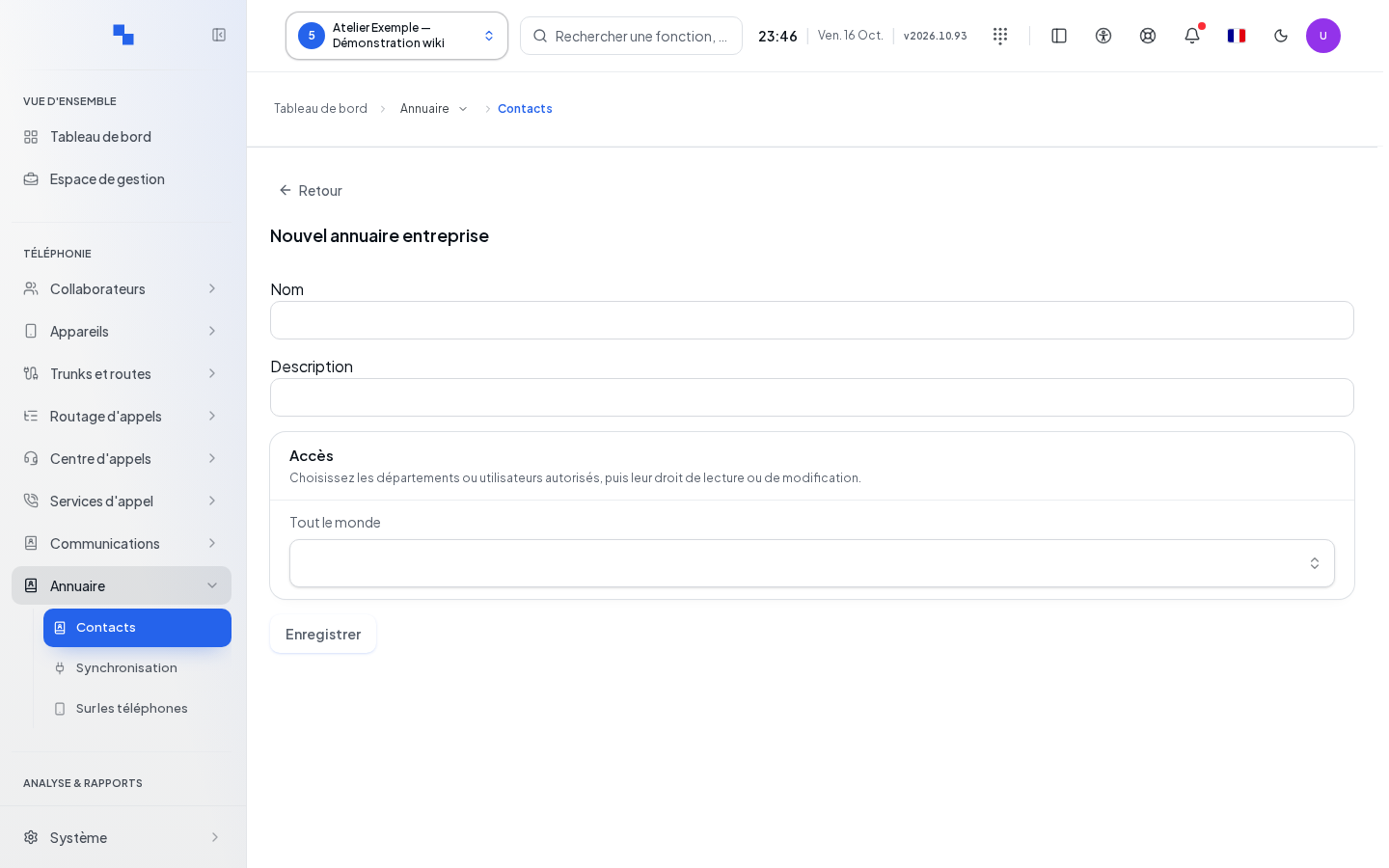
In Manage address books, choose New address book, Edit address book, or Delete address book. To edit or delete, first select a specific address book.
| Field | Purpose | Possible values | Example |
|---|---|---|---|
| Name | Address book name; required | 200 characters maximum | Suppliers |
| Description | Overview | Optional, 500 characters maximum | Logistics contacts |
| Access | Authorized departments or individuals | Everyone or a selection of departments and users | Purchasing department |
| Read / Read and edit | Target's access level | Read only or with editing | Read |
Add access recipients, then assign their permission. A new assignment starts as read-only. If users or departments fail to load, the selection remains unavailable. Save stores the address book.
Delete address book also deletes all its contacts for this client. Review the name in the confirmation. To remove a single entry, use the contact's action instead.
Import and Export
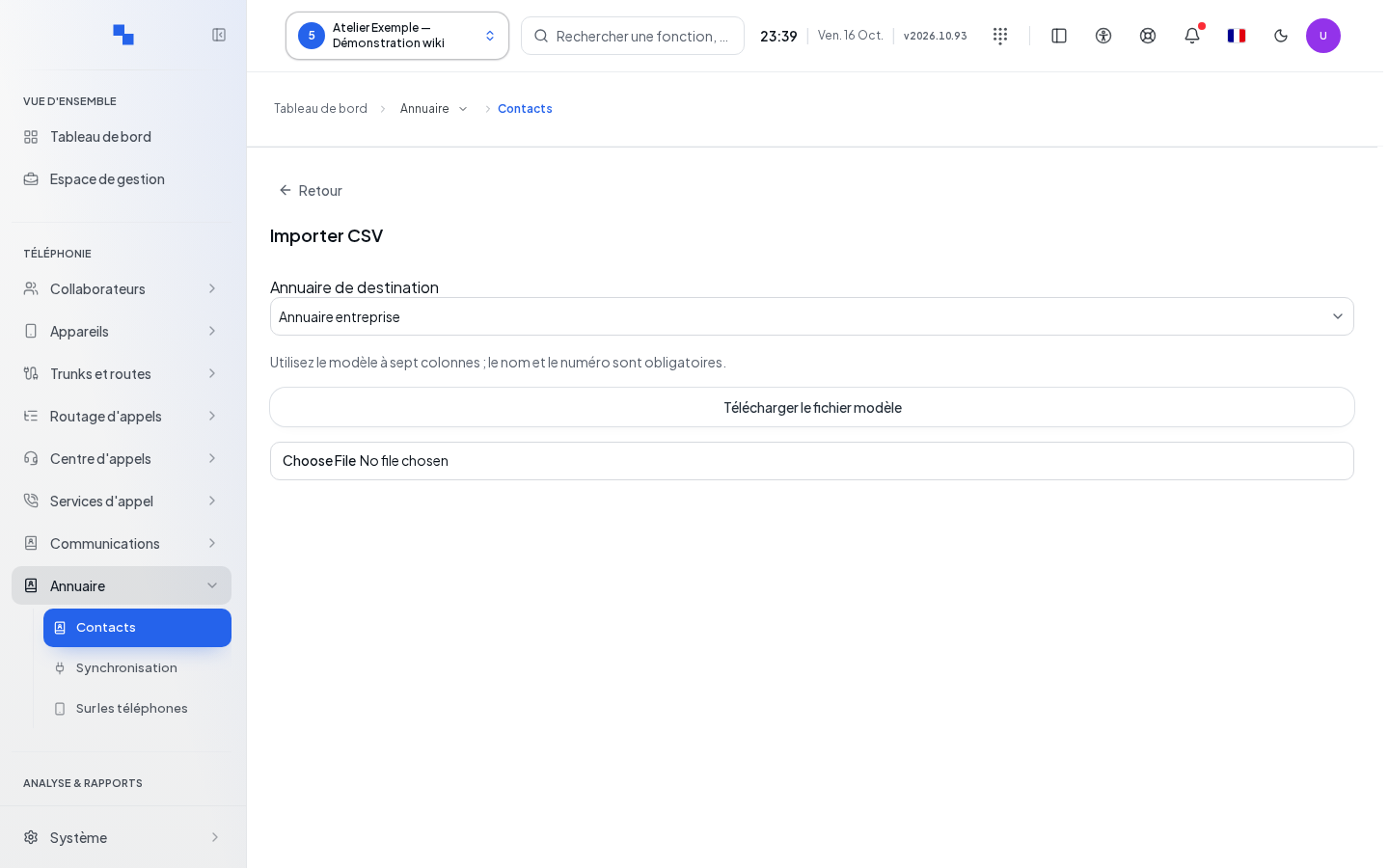
- In Actions, choose Import CSV.
- Click Download template file.
- Fill in its seven columns, keeping the headers; name and number are required.
- Select the CSV or TXT file in the import dialog.
- Review the number of contacts imported and skipped, as well as the rejected rows.
"Choose a valid CSV file." or "The CSV file is empty." prompts you to fix the file before selecting it again. Keep the row numbers provided by the server to correct the data.
Export downloads the contacts; this action is blocked during a read operation or after it fails. An export of a selection only covers the selected contacts.
Deleting Contacts
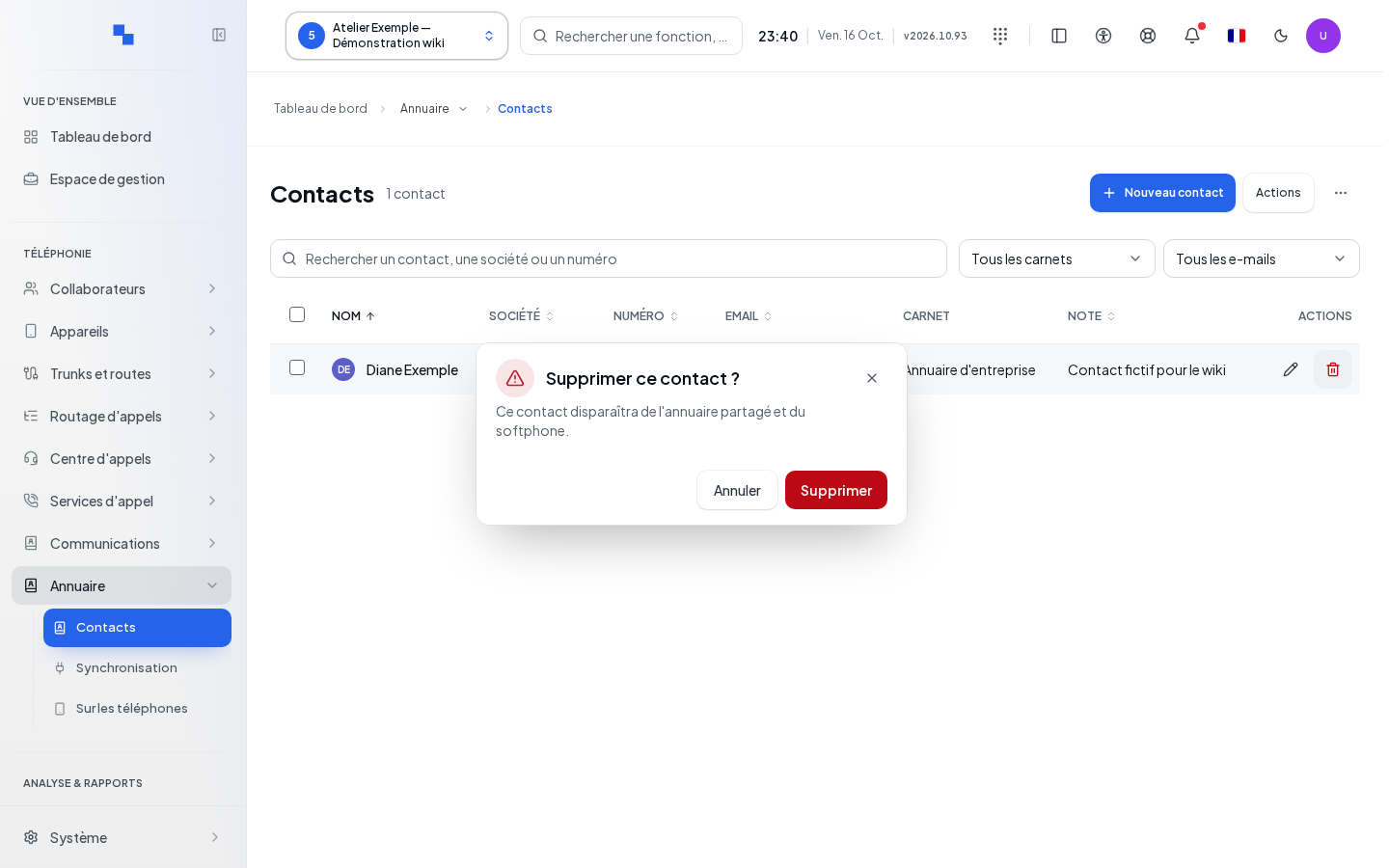
Delete on a row opens Delete this contact?. The contact will disappear from the shared directory and the softphone. The checkboxes allow you to prepare a bulk deletion; Select all results selects the filtered results, not an invisible address book. Review the count in the confirmation. In case of partial failure, already-deleted rows are not restored: check the outcome before retrying.
Verifying the Result
Search for the name and number, check the address book, and have an affected user confirm its visibility. For a synchronized source, correct the data at the source according to the synchronization guide.
If It Doesn't Work
Clear the filters, check the client and the address book permissions. A failure to load access permissions does not mean the address book is public. Do not confuse a duplicate number with a directory outage.