
A delegation organizes call reception for a protected person through their assistants. Select the client, then open Assistants with read permissions; changes require write permission for this section.
Search for a delegation
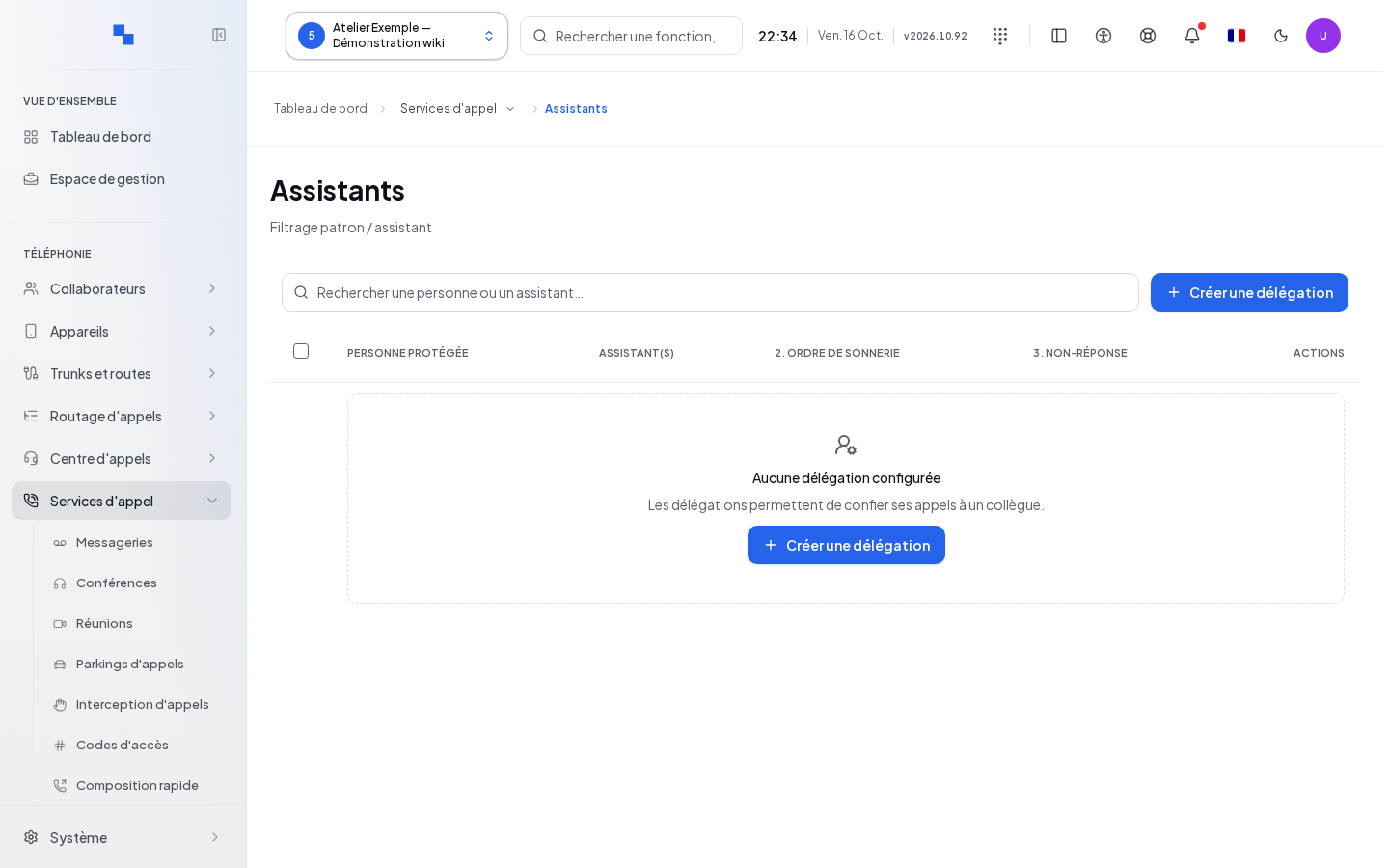
Search for a person or an assistant… filters the relationships. The table shows Protected person, Assistant(s), 2. Ringing order and 3. No answer. An inactive relationship is marked Disabled; No fallback indicates an empty fallback destination. Browse pages of 50 results. Retry relaunches a failed read.
Create or edit the relationship
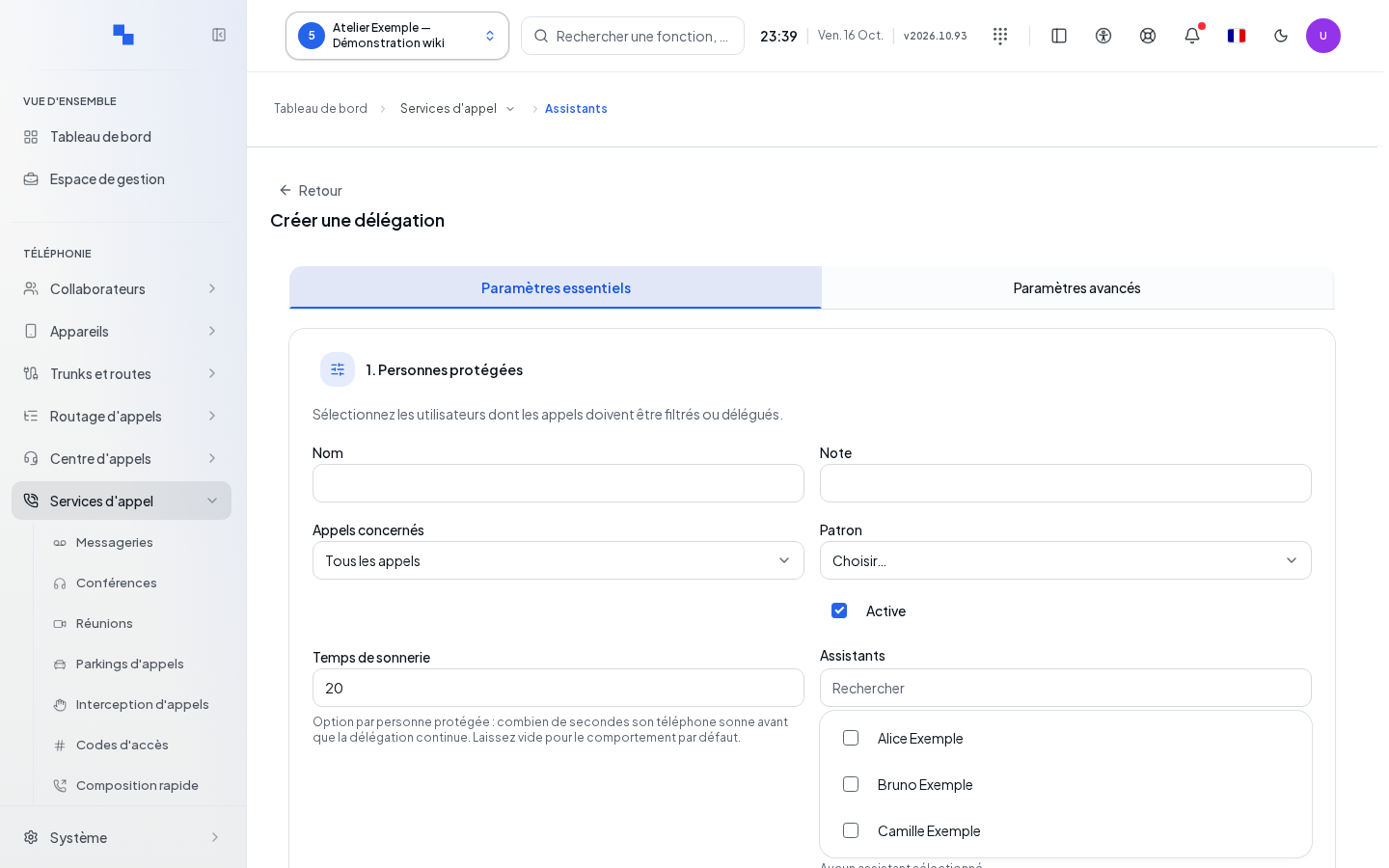
- Click Create a delegation, or Edit on the row.
- In Essential settings, choose the protected person and the assistants.
- Set the order and ringing times.
- Go to Advanced settings for the displayed name and no-answer handling.
- Click Create a delegation or Save. Cancel discards the form; wait for a write operation to finish before taking a new action.
| Field | Purpose | Possible values | Example |
|---|---|---|---|
| Name | Identifier for the relationship | Optional, 100 characters maximum | Executive reception |
| Description | Internal notes | Optional, 1,000 characters maximum | Backup during meetings |
| Calls affected | Origin of filtered calls | External, internal, or all; all by default | External |
| Boss | Protected person; required | Client user | Camille Example |
| Active | Enables the delegation | Enabled by default | Enabled |
| Ring time | Ringing duration for the protected person | 1 to 3,600 seconds; 20 by default | 20 |
| Assistants | People who receive the calls | 1 to 32 people, distinct from the boss | Reception and secretariat |
| Behavior | Distribution order | Assistants only, assistants then boss, simultaneous, and suggested strategies | Assistants then boss |
| Time before switch | Wait before the next step | Required, 1 to 3,600 seconds; 15 by default | 15 |
| Caller name display | Position of the added text | Prefix, replace, or append after | Prefix |
| Text to display | Identifier shown to assistants | 100 characters maximum | Executive |
| If no answer | Fallback destination | Up to 40 characters among digits, +, * and #; empty means no fallback | 200 |
Searching for assistants hides rows without unchecking already selected people. Check the number chosen before saving. “Choose between 1 and 32 assistants, all different from the boss.” prompts you to correct this selection.
Delete and act on a selection
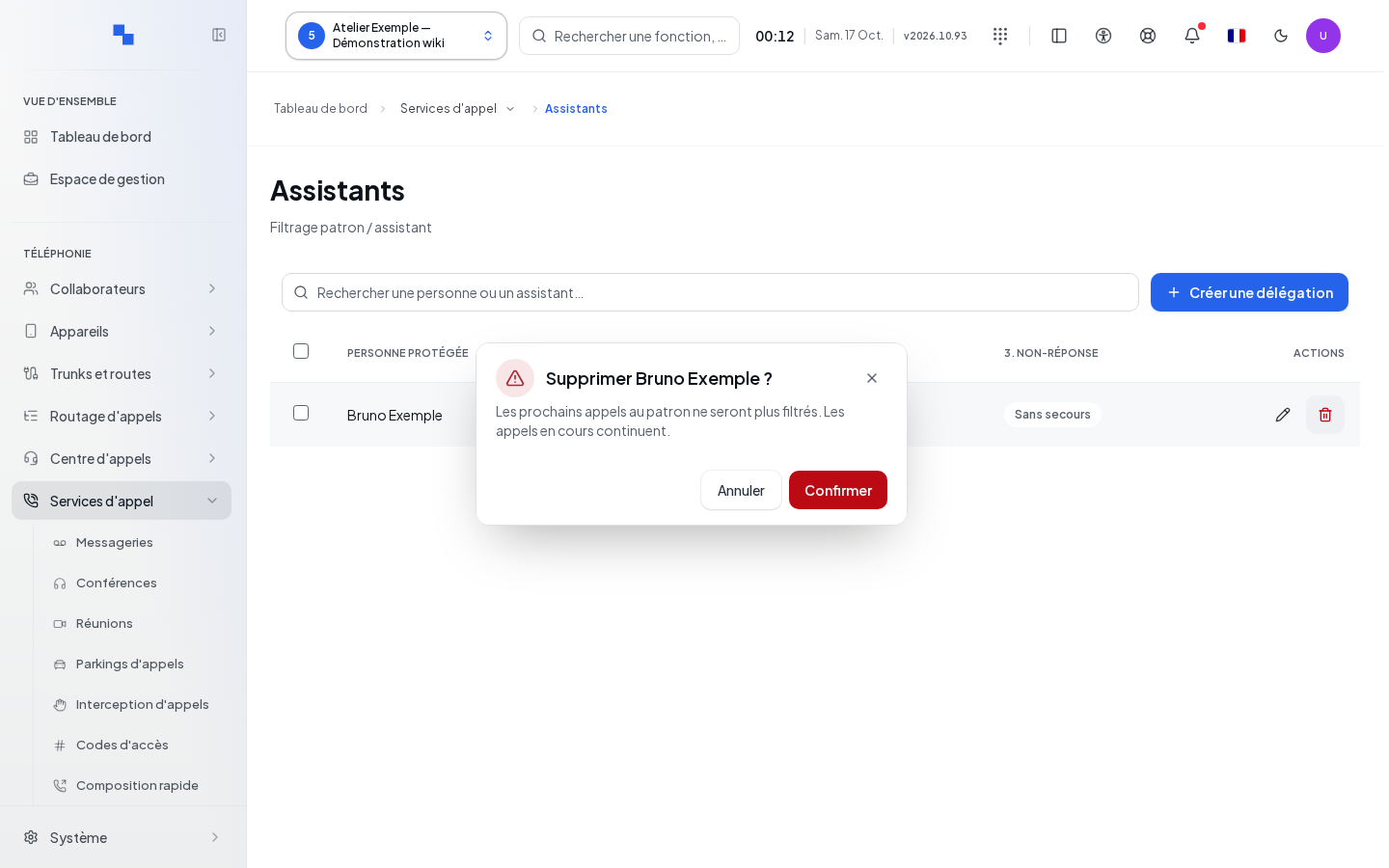
Delete opens a confirmation bearing the protected person's name. Future calls will no longer be filtered through this relationship; ongoing calls continue. Cancel to keep it. For an action on multiple rows, check the selection and the outcome for each relationship: success on one row does not guarantee success on the following ones.
Verify the result
Reopen the relationship, then make an internal call and an external call according to the chosen origin. Check the ringing order, the displayed name, and the destination after no answer.
If it doesn’t work
A read error is not the same as an empty list. First check the permissions, the active status, the call origin, and the selected people. If no response is planned at the end of the sequence, set up the appropriate fallback destination.