
The Collaborators menu brings together several client screens. Selecting it opens the first screen your account has access to.
Choosing a screen from the group
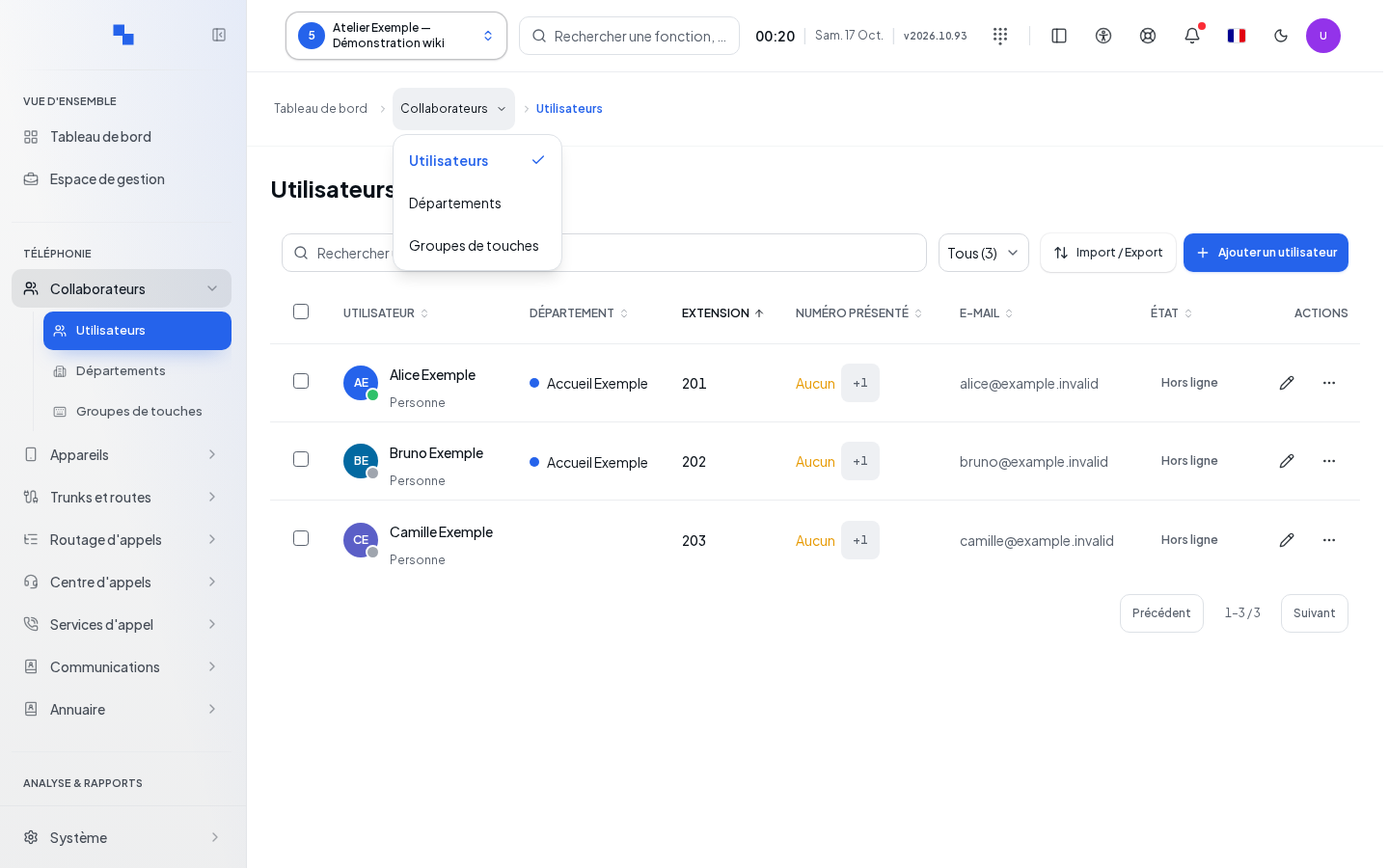
- Select the client in the top bar.
- Open Collaborators.
- Wait for the loading of permissions and navigation to finish.
- Then choose the desired section from the menu.
The destination depends on your account's permissions. If no screen in the group is authorized, the administration redirects you to another accessible screen. This group entry does not contain a creation form.
Refer to the list guide to create or edit data. For the directory, distinguish between manual contacts, source synchronization, and diagnostics on the phones. For collaborators, distinguish between users, departments, and assistants.
Verifying the result
Check the title of the screen reached and the selected client before proceeding.
If this does not work
A different screen may result from your permissions. Have access to the expected section verified. If the loading persists, see States and access.