
Connected Devices monitors the connection of the client's phones and applications. This screen is used for diagnostics; hardware configuration is done in the fleet section.
Filter the measurement
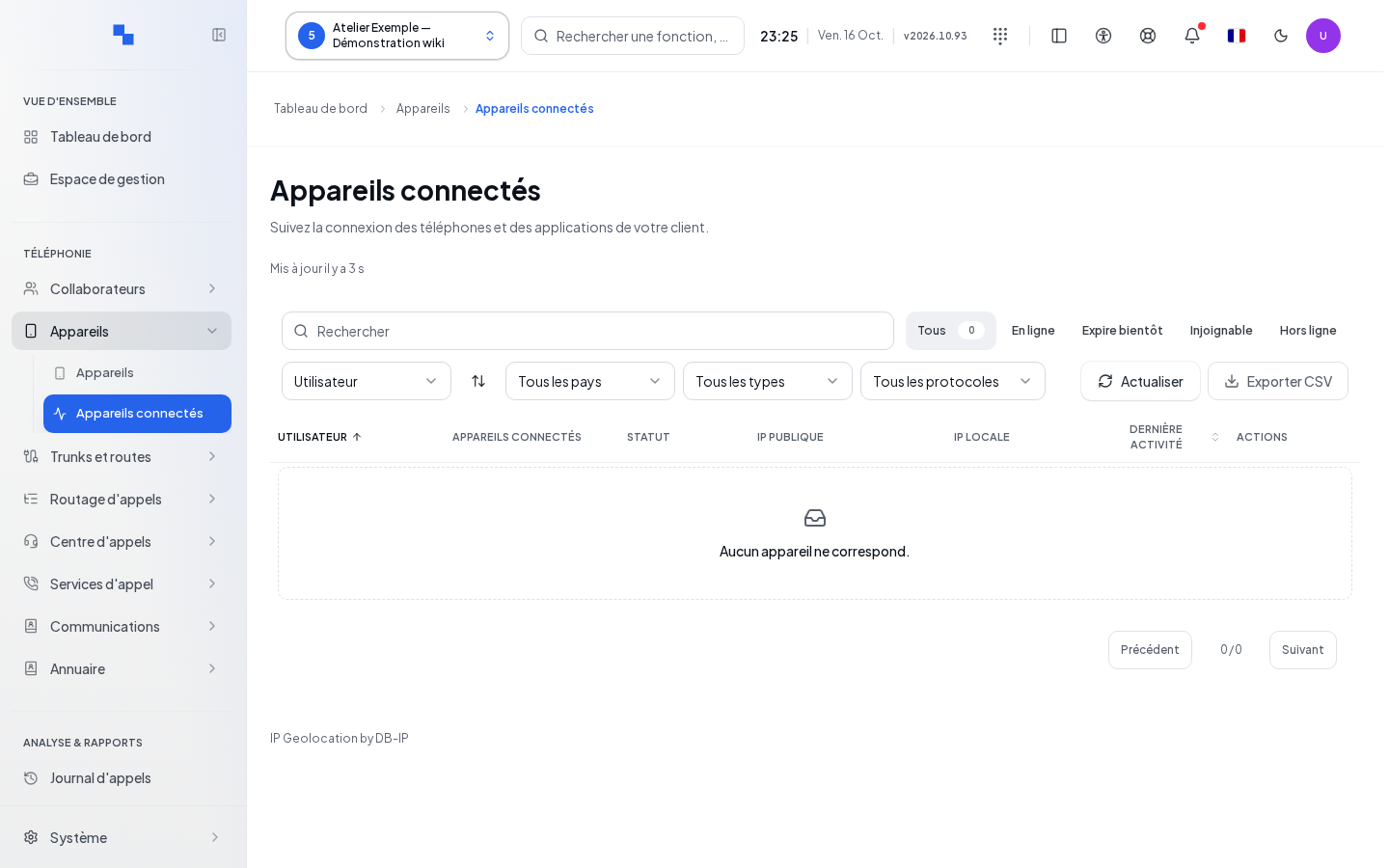
- Open Connected Devices in the desired client.
- Check the Last reading.
- Filter by search, Status, Country, Device, and Protocol.
- Choose Sort by, then Reverse sort if needed.
- Click Refresh to reread the connections and their monitoring.
The name or model of each device is shown in its column. It is no longer repeated as text in the status and address columns; rows remain aligned by device. A tooltip may show its name on hover.
States distinguish online, offline, unreachable, unknown, and expiring soon. If real-time updates are interrupted, the screen announces a refresh every 15 seconds. The Export CSV export covers the filtered rows; it is unavailable without results or after a failed reading.
Reading the Call column
The Call column distinguishes Ringing, with an animated bell, In Call, with a phone icon, and — when no call is reported. Unknown indicates a missing, stale, or failed measurement; it is not confirmation of availability. This status concerns the associated user: multiple devices of the same user may therefore display the same status. An unassigned device remains unknown.
The Call filter allows you to select the desired state. The measurement is automatically reread every three seconds and during call events; Refresh also rereads it. The column is also included in the CSV export of filtered rows. Call status is distinct from the device's connection status.
Opening details and monitoring
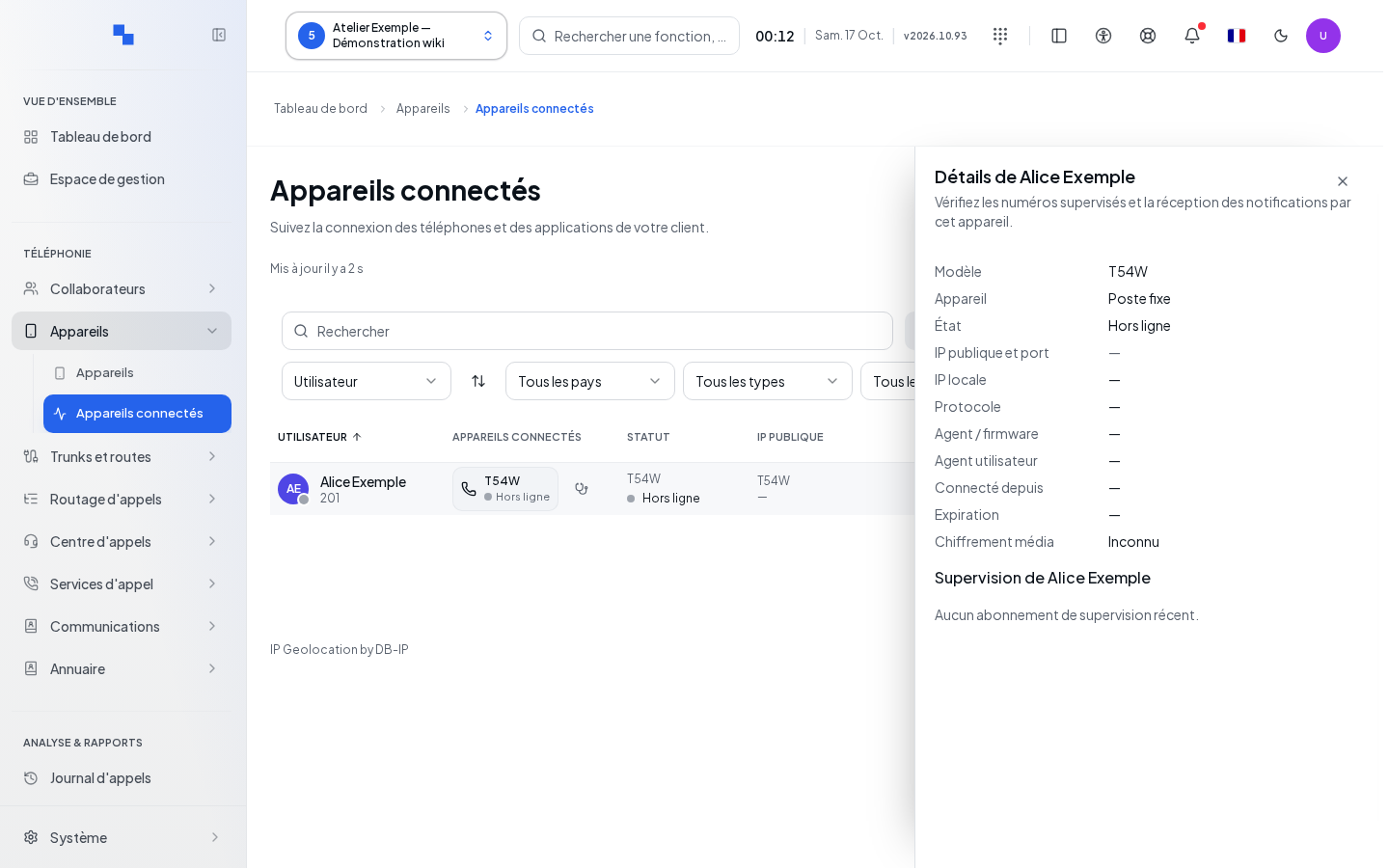
Details shows the model, public and local addresses, port, connection start, expiration, protocol, and media encryption. Clicking the public address opens country information when available.
Monitoring shows the numbers monitored by BLF keys, the latest notifications sent, the response received or still awaited, and the latest error. "No recent monitoring subscription." does not mean the phone has no keys configured: it describes the available measurement. When a phone reconnects from a different connection (TCP or TLS, for example behind a router), its previous subscriptions to the same targets are automatically closed; a final 481 code indicates a terminated subscription, not a new error.
Verifying the result
Compare the device, the user, and the measurement time with the actual phone. Make a test call and then check the status. The absence of media encryption cannot be inferred from TLS transport alone.
If this does not work
"Some devices could not be verified. Refresh to try again." requests a new measurement. If monitoring cannot be verified, keep the diagnostic as unknown. See Devices for phone settings and commands.