
Backups and storage defines the destination and retention of the installation. The location receives copies of call recordings and configuration backups; voicemails, faxes and sounds remain on the PBX. This screen requires system rights.
The sections are Backups, Destination and Retention. Scheduling and retention share Save and Cancel. In case of partial success, correct the failed section. Changing the destination keeps its test and confirmation dialog.
Read the current storage
Open System → Backups and storage. Review the current location, the last check, pending, abandoned and sent copies, the last copy and the last backup. Disk space may be unmeasured: this does not mean it is free.
Check tests the saved destination. If copies and backups use two different destinations, the screen announces it; changing location will reunite them.
Change the location
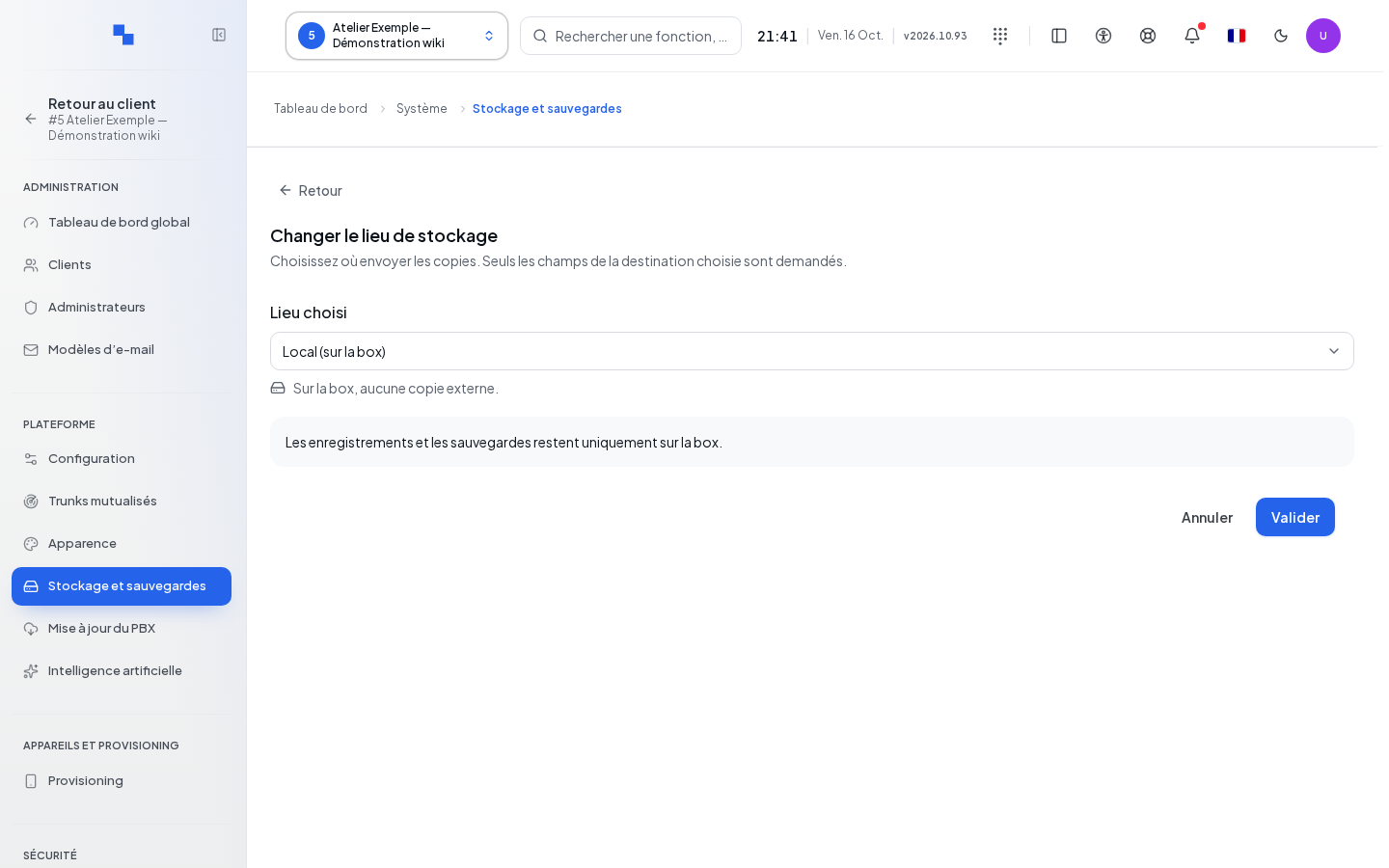
- Click Change storage location.
- Choose Selected location: local or proposed external destination.
- Complete only the fields for this destination.
- Click Test connection.
- After the test, click Validate to read the consequences.
- Click Confirm change, or Back to correct. Cancel closes the entry.
| Field | Purpose | Possible values | Example |
|---|---|---|---|
| Selected location | Destination of upcoming copies | Local, S3-compatible, SFTP, FTPS, SMB or FTP depending on the list | S3-compatible |
| HTTPS endpoint | S3 service | HTTPS URL | https://storage.example.test |
| Bucket name | S3 container | Name provided by the storage | archives |
| S3 region | Region of the space | Value provided by the service | Your storage's region |
| Access key / Secret key | S3 authentication | Service credentials | Protected values |
| Hostname or IP address | File server | Remote host | files.example.test |
| TCP port number | Service port | Empty for the standard port shown | Empty |
| Username / Password | Remote account | Authorized credentials | Backup account |
| SSH host key | Verifies the SFTP server | Public key in OpenSSH format | Value provided by the administrator |
| Share | SMB share | Share name | backups |
| Remote folder / Prefix (optional) | Sub-location | Path suited to the protocol | telephony/ |
An already saved secret can be kept by leaving it empty when the panel specifies this. "To be completed: …" indicates missing fields. A successful test confirms writing, re-reading and deletion of its test file. You may see a warning if the connection has not been successfully tested; check this before confirming.
Existing files are not moved. Choosing local stops new external copies. The confirmation also indicates pending copies to the old destination that will not be sent. FTP transfers without encryption.
Set retention
Retention applies to clients that inherit this destination, unless their recordings are customized. It is independent of the destination form.
| Field | Purpose | Possible values | Example |
|---|---|---|---|
| On the box, after copy | Removal of the original audio after verified copy | Integer in days; 0 means as soon as the copy is verified | 30 |
| On the remote destination | Duration of audio copies | Integer in months; 0 without limit | 12 |
| Archives retained | Number of configuration archives | Integer; 0 without limit, but incompatible with an automatic backup | 7 |
| Archives on the box | Local duration of backups | Integer in days; 0 without limit | 30 |
| Archives on the remote destination | Remote duration of backups | Integer in months; 0 without limit | 12 |
Respect the maximum shown for each field. Click the common Save button. A reduction opens Shorten retention?: review the old and new values then Shorten, or Back.
The number of archives applies at the next purge pass. The copy durations set the deadline for upcoming copies; existing ones keep their deadline. With a local location, the durations after copy and on remote destination have no effect as long as no copy is made.
Schedule and run a backup
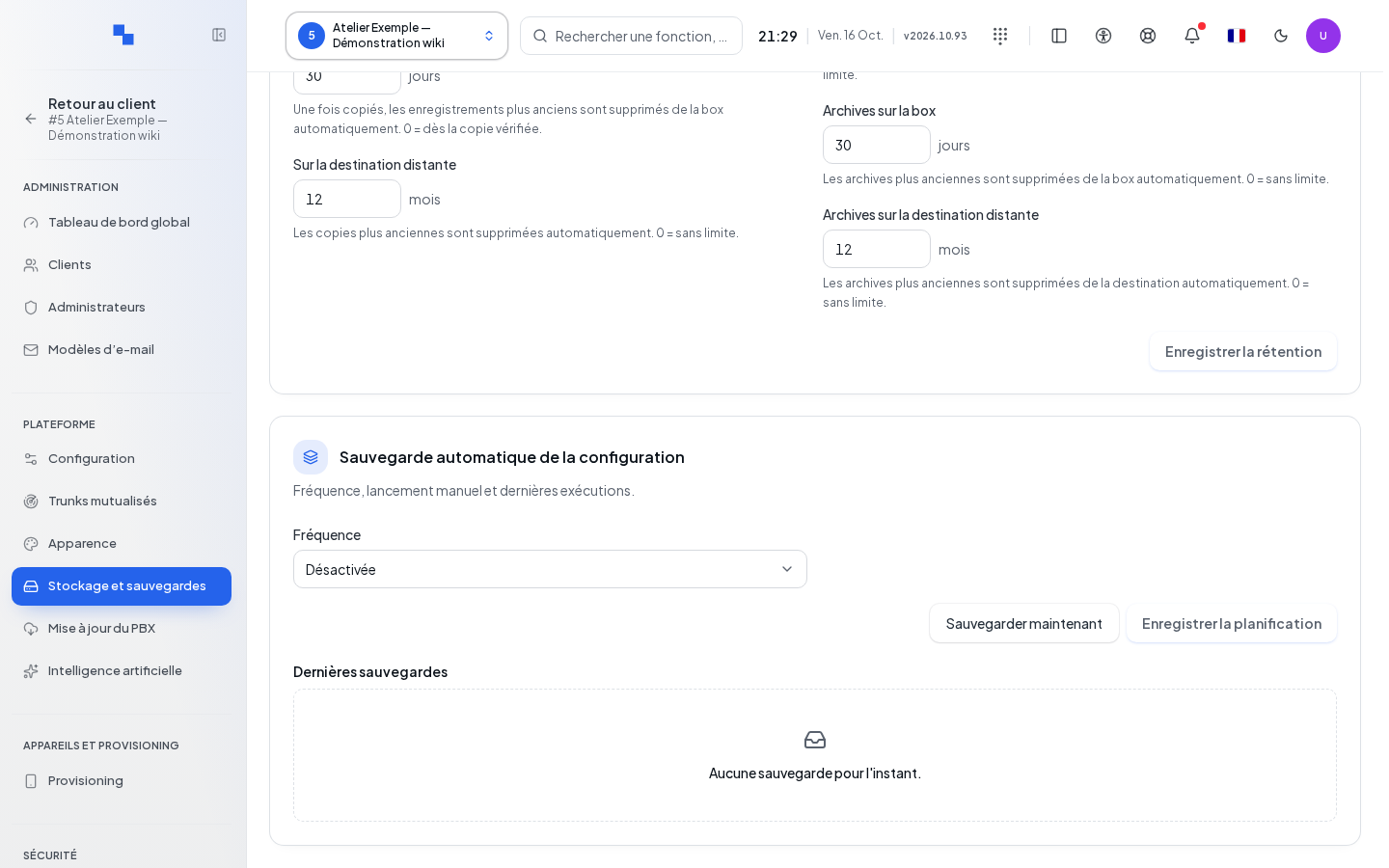
In Automatic configuration backup, choose the frequency and the displayed schedule fields: time, weekly day or day of the month, and time zone. The time is chosen from 0 to 23 and the monthly day from 1 to 28. Click the common Save button.
An active schedule requires at least one retained archive. "An automatic backup cannot go via unencrypted FTP." requires choosing another destination. Back up now uses the saved settings; the button is blocked with a draft, while reading history, after its failure or when a job is already pending or in progress.
Latest backups presents the runs and their result. "Backup started" does not guarantee it is finished. Wait for its final status.
Check the result
Review the location and its last check. Run a backup then check its result and file. For recordings, check the next copy of a test call and the corresponding activity.
If it doesn't work
A "Read failed: …" error should not lead to overwriting the unknown configuration. Fix the field or remote access named by the test. If failure occurs after several retention writes, review both groups before retrying: they do not constitute a single transaction.