
Viewing what's new
The release notes present the changes made to Informatique Facile PBX. They can be viewed in read-only mode from the release notes entry or the address provided by your administrator.
- Open the release notes.
- Locate the version number and its date.
- Read the scope indication and the list items.
- Use Back to return to the home screen.
Newer public versions appear before the built-in notes, marked with Available — not yet installed. The Installed badge identifies the version currently in use. Click a version's header to expand or collapse its notes; the most recent one is expanded by default. Announcements for the same version are grouped together.
The System Update button appears if your permissions allow access to this screen. Reading an announcement does not install anything: check in System Update whether the version is offered for your installation and its channel.
If new notes are temporarily unavailable, a message indicates this and the built-in notes remain available for viewing. Reload later to view recent publications.
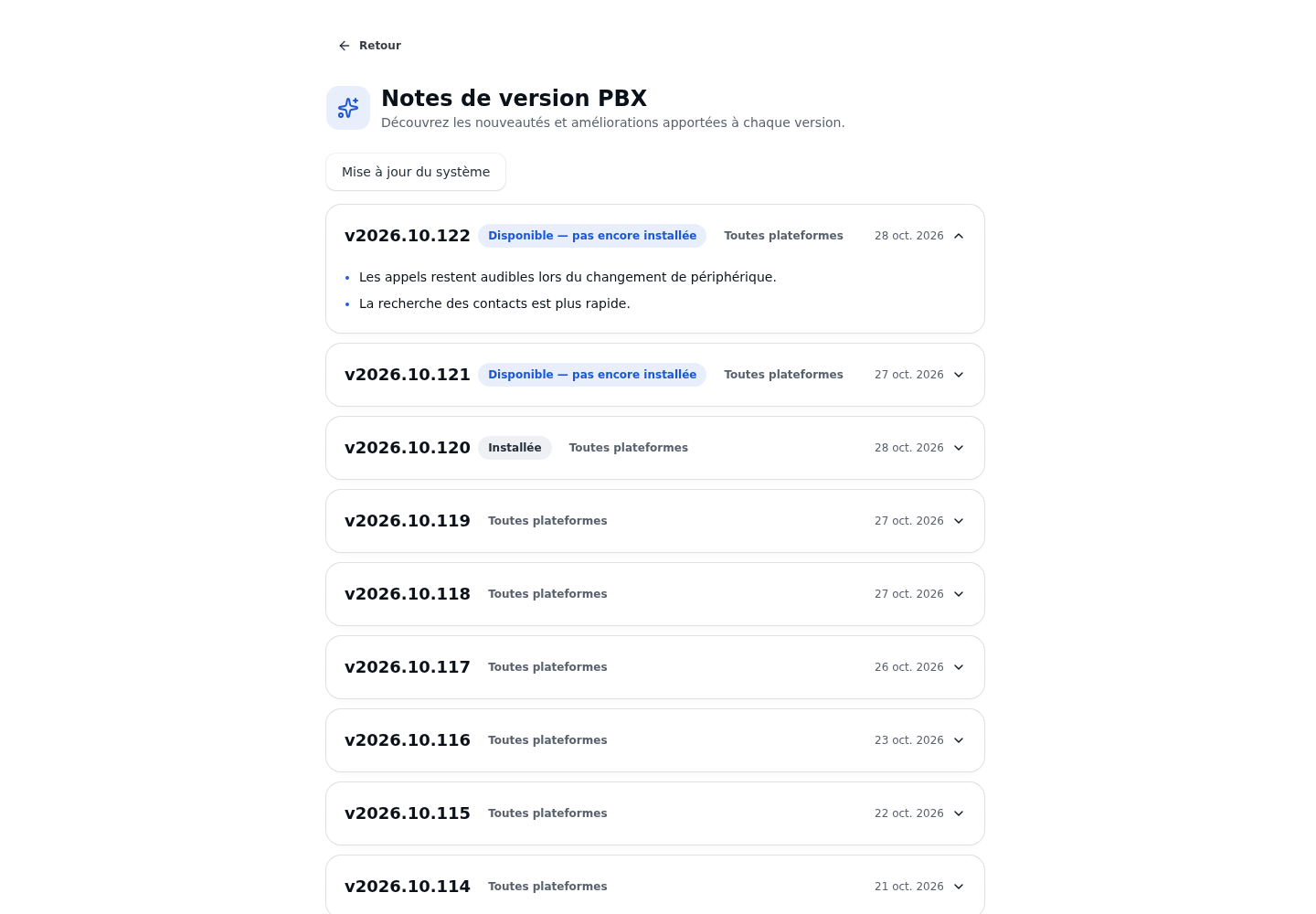
Checking the result
You should be able to read the entries and return to the home screen. Compare the version you are interested in with the one displayed in your application before looking for a new feature.
If this does not work
If a described new feature is not visible in your account, have the installed version, your permissions, and the available modules checked. The release notes do not replace a feature's activation by the administrator.