
Opening the Management Area
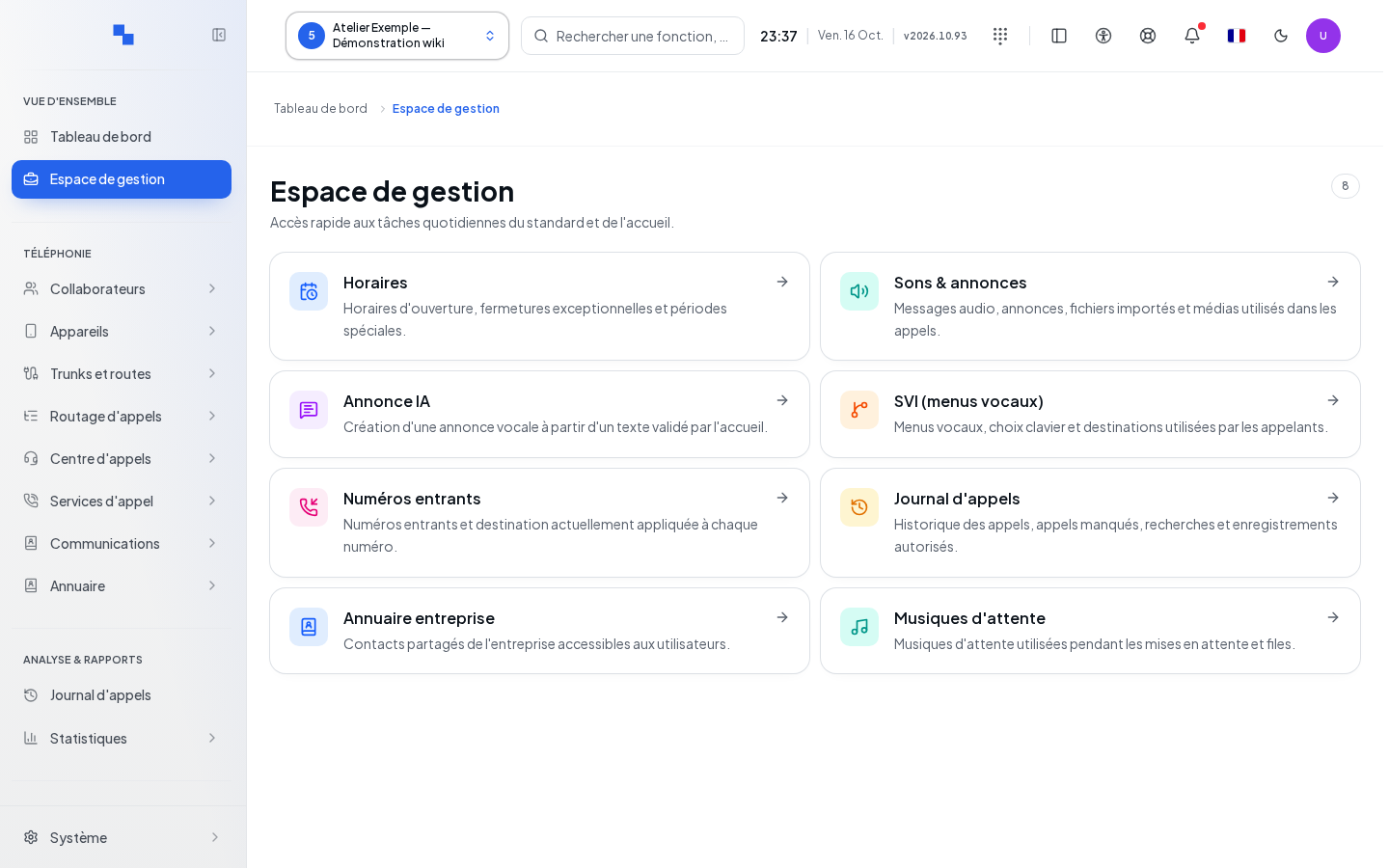
The Management Area brings together the daily tasks of the switchboard and reception. It is intended for the manager to whom the administrator has granted these permissions. From the phone, click Management Area and check the selected client. A separate tab opens, or a second window of the desktop application, without interrupting the ongoing call. Keep the phone open. If “The browser blocked the window.” appears, click Open in a new tab.
The displayed number corresponds to the accessible cards. A card depends both on access to its page and on the rights required for the action. If no card appears, have your profile checked; this does not prove that the client has no configuration.
Choosing a Task
| Card | Effect of Clicking | Condition or Precaution |
|---|---|---|
| Reception | Opens room management | Room module available and corresponding read permission |
| Schedules | Opens opening hours and exceptions | Read permission for schedules |
| Sounds & Announcements | Opens audio messages and files | Read permission for sounds |
| AI Announcement | Opens the sounds page to prepare an announcement | Modification permission for sounds; the card alone does not generate an announcement |
| IVR (voice menus) | Opens voice menus and their keypad choices | Read permission for voice menus |
| DID Numbers | Opens external numbers and their destinations | Corresponding read permission |
| Call Log | Opens the administrative history | Listening also depends on your authorizations |
| Company Directory | Opens shared contacts | Read permission for the directory |
| Hold Music | Opens the music used during hold | Read permission for sounds |
- Click the card for the desired task.
- Check the title and the client on the opened page.
- Make the change on that page, then use its save command.
- Return to the management area to switch tasks.
Verifying the Result
Clicking a card opens a screen; this click does not modify telephony. Verify the result of your work on the destination page.
If It Does Not Work
A missing entry may be related to permissions or an unavailable module. An error on the destination page must be addressed there. Provide the administrator with the client, the card you were looking for, and the displayed message. See Navigation to find your area.