
Open the phone entry point from the browser extension
This entry point is intended for the phone opened by the browser extension. It uses your Informatique Facile PBX session and the same phone workspace as the main page. You need an authorized user account and the address of your installation.
- Open the phone entry point provided by your browser extension.
- If login is requested, enter your account credentials. Follow Login.
- Check that your personal workspace is displayed.
The address of this entry point ends with /phone. It reuses the phone page: it does not present an extension setup wizard and does not create a second extension on its own. To identify the controls, see Phone and personal workspace and personal menus.
The Phone page includes, depending on your permissions, the Logged-in Agents, Logged-out Agents, Waiting Calls, and Calls Today cards, the Calls table by queue, and the agents table. Individual averages are available for supervisors; an extension that is not connected appears as Offline. The phone guide details these indicators.
BLF shortcuts use multiple columns when the panel is wide enough, and pagination adapts to the available space. Notification badges are red.
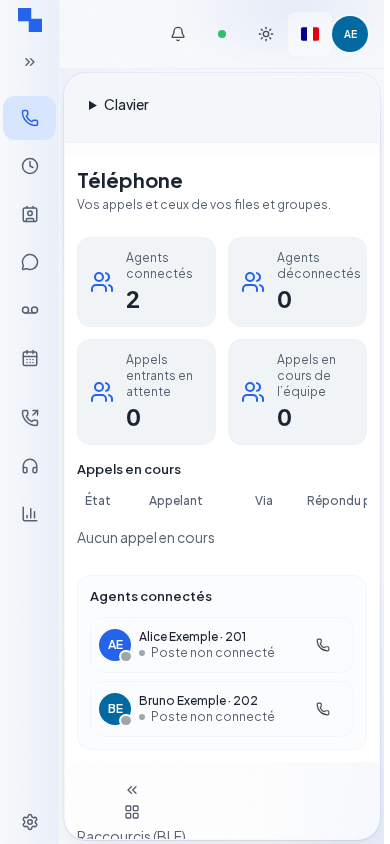
Verify the result
Your phone and the authorized sections are available. If your account is an administration identity, it can access the administration area just as on the main page. Have your administrator confirm the account to use.
If this does not work
Use the address provided for your installation; do not try an address from another client. If the session has expired, log in again. If the page does not give you access to the phone, see States and access.